
What Happened
AI can produce a polished answer in seconds, but a polished answer is not automatically a dependable one. A beginner may ask an AI tool to summarize a policy, draft a customer reply, explain a technical concept, or organize research and receive text that sounds confident even when a detail is missing or wrong. Learning how to verify an AI answer gives you a practical skill you can use at work this week.
This guide shows five checks that turn AI output into a draft you can responsibly evaluate. You will learn how to identify the claim that matters most, compare it with a trustworthy source, test assumptions, look for missing context, and record what you changed. The goal is not to distrust every answer. It is to build a repeatable habit that helps you use AI faster without handing over your judgment.
Think of an AI answer as a starting document. It may be useful, incomplete, or inaccurate. Your job is to decide which of those descriptions fits before the answer becomes an email, a report, a customer promise, a code change, or a business decision.
Why Verification Is a Learnable AI Skill
Many people approach AI accuracy as if it were a mysterious technical problem. Beginners sometimes assume that better results require advanced mathematics, a special job title, or a complicated collection of tools. In practice, the first useful skill is more ordinary: learn to inspect an answer before you rely on it.
An AI system generates likely language from patterns. It does not experience your workplace, remember every current policy, or automatically know which source your manager considers authoritative. It can combine a correct general idea with an incorrect date, invent a citation, overlook an exception, or answer a slightly different question than the one you intended.
That does not make AI useless. It means the workflow needs a review step. The same way you would proofread a spreadsheet formula before sending a financial report, you should check an AI response before it carries consequences.
For a beginner, verification starts with noticing the difference between these two statements:
- The answer sounds reasonable.
- The answer is supported well enough for this particular use.
Those statements are not interchangeable. A brainstorming list can tolerate uncertainty that a customer-facing instruction cannot. A rough outline can contain placeholders that would be unacceptable in a compliance checklist. The level of checking should match the cost of being wrong.
Businesses benefit when employees learn this distinction. Teams can move quickly with AI while still protecting customer trust, internal knowledge, security, and decision quality. A short course or practice project can make the habit concrete because learners can work through examples instead of memorizing warnings.
The Five-Check Review
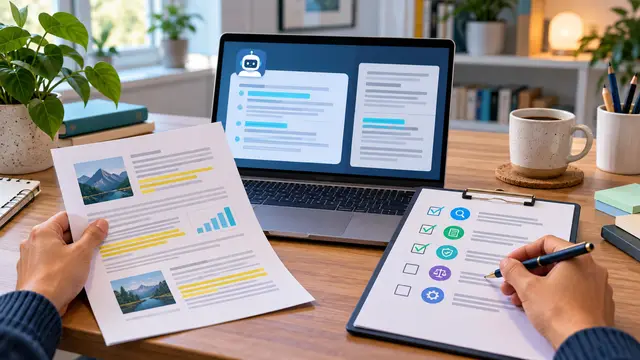
A useful review is easier to remember when it follows the same order each time. The five checks below work for a short email draft, a meeting summary, a how-to explanation, or a simple analysis of information supplied by a team.
- Identify the decision or action the answer will influence.
Before checking individual sentences, ask what could happen if the answer is wrong. If the output is only a list of possible blog angles, your review can be light. If it tells a customer how to reset an account or tells a coworker which deadline applies, the review needs stronger evidence.
Write the intended use in one plain sentence: “I want to use this draft to explain our return process to a customer,” or “I want to use this summary to choose which support issue to investigate first.” This exposes the parts that matter most.
A response can be generally accurate and still be unsuitable for the action you have in mind. A broad explanation of password safety does not replace your company’s actual account recovery procedure. A general coding example does not prove that the same code fits your project.
- Circle the claims that need proof.
Do not treat every word as equally important. Pull out claims that include numbers, dates, names, requirements, promises, limits, or cause-and-effect conclusions. These are the statements most likely to create trouble if they are wrong.
A practical claim-review list might include:
- Any deadline, price, percentage, or quantity.
- Any statement about a company policy, law, security control, or product feature.
- Any named source, quotation, study, or citation.
- Any instruction that could change data, access, money, or customer communication.
- Any conclusion that says one event caused another.
When an answer contains five paragraphs, you may discover that only three sentences need direct verification. This makes the work less overwhelming. You are not trying to prove every adjective. You are checking the claims that carry the decision.
- Compare the important claims with an authoritative source.
Open the source that owns the information. For a workplace process, that may be the current internal guide or a subject-matter expert. For a software feature, it may be the product documentation. For a customer fact, it may be the customer’s record. For a technical exercise, it may be the actual code behavior you can observe.
Avoid treating a second AI answer as strong evidence for the first one. Two generated responses can repeat the same mistaken assumption. Verification is stronger when the comparison source has a clear relationship to the claim.
You do not need a research department to practice this. A beginner can place the AI draft beside one trusted source and mark each important claim as supported, unsupported, or different. If the source is unclear or out of date, record that uncertainty instead of hiding it.
- Test the answer against the real context.
An answer may be factually true in general but wrong for your situation. Ask what details the AI did not know. Did the prompt include the current audience, version, location, permission level, or business rule? Did the answer assume that a tool is configured in a certain way?
For a small code example, paste it into a safe practice project and observe what happens. For a customer email, check whether the proposed promise matches what your team can actually deliver. For a summary, compare the conclusion with the original notes rather than checking only the grammar.
This is where a tiny experiment helps. Change one input, use one test case, or ask one knowledgeable person to review the edge case. A practical test is often more informative than another round of confident wording.
- Record corrections and the reason behind them.
A review becomes a reusable skill when you capture what changed. You might write, “Updated the access time because the current internal guide says two business days,” or “Removed the feature claim because the installed version does not support it.” This note helps another person understand the decision and helps you improve the next prompt.
Keep the record proportional to the risk. A short note in a practice exercise is enough for a low-stakes draft. A team workflow may need a review date, source name, owner, and approval status. The point is not paperwork for its own sake. The point is to prevent a corrected answer from silently becoming an uncorrected template later.
Common Beginner Mistakes
The most common verification mistakes are not caused by laziness. They happen because the output feels finished. Clear headings, complete sentences, and a friendly tone can create a false sense of certainty.
One mistake is checking only grammar. Editing a response until it sounds natural may improve readability while leaving its main claim untouched. Another mistake is asking the AI, “Are you sure?” and accepting a more confident version of the same answer. Confidence is not evidence.
Beginners also sometimes verify the easy details and skip the risky ones. They may confirm a spelling while ignoring whether a deadline is correct. A better sequence is to review the consequence-bearing claims first, then polish the language.
Another mistake is failing to provide enough context in the original prompt. If you ask for “the best response to this issue” without including the audience, policy, or desired outcome, the AI has to fill gaps. The answer may look specific because it supplies details that were never established.
Watch for these warning signs in a draft:
- A precise number appears without a traceable source.
- The answer uses absolute words such as always, never, guaranteed, or fully secure.
- A named document or citation cannot be found.
- The response answers a broader or different question than the one asked.
- Important limits, exceptions, or assumptions are missing.
- The output recommends an action without explaining what information it relied on.
A warning sign is not proof that the answer is wrong. It is a signal to slow down and check the right part of the response.
Why It Matters for Businesses
Businesses need employees who can use AI with both speed and care. A team that treats every generated answer as final may create avoidable rework, inconsistent customer communication, and decisions built on details nobody verified. A team that refuses to use AI at all may spend time rewriting routine drafts that could have been reviewed efficiently.
Verification creates a middle path. Employees can use AI for first drafts, organizing information, practice explanations, and repetitive preparation while keeping people responsible for evidence and judgment. That is especially useful for small businesses where one person may handle operations, sales, support, and basic technology tasks in the same week.
The skill also improves collaboration. When a learner marks which claims were checked and which remain uncertain, a manager or teammate can review the important questions instead of rereading every line from scratch. A shared review habit reduces the risk that an unverified draft will be copied into a process guide and reused for months.
For a team, a simple AI answer review policy can define:
- Which types of output require a human check before use.
- Which sources count as authoritative for common tasks.
- Which information should never be pasted into an external AI tool.
- Who owns the final decision when the answer affects customers or access.
- How corrections and recurring errors should be shared.
These rules do not need to be long. A one-page checklist practiced in real scenarios can be more useful than a large policy nobody remembers. Employees gain confidence when they know what good review looks like and when they can ask questions without being expected to become AI engineers.
Verification is also a career skill. As AI handles more first drafts, people who can frame a task, spot a weak assumption, test an output, and explain a correction become more valuable. They help a business move from interesting demonstrations to dependable work.
The Practical Automation Opportunity
Verification can be practiced as a small, repeatable learning workflow. Start with one low-risk task that happens often, such as turning meeting notes into action items or converting a rough support question into a draft reply. Keep the original material, the AI output, and the final edited version together so you can see where judgment changed the result.
A beginner practice project might use this sequence:
- Choose one recurring task with a clear expected result.
- Write a prompt that states the audience, context, and desired format.
- Generate a draft and label the claims that need support.
- Compare those claims with one trusted source or test case.
- Revise the answer and record the most important correction.
- Save the review checklist so the next attempt takes less time.
This project teaches more than prompt wording. It combines communication, source evaluation, workflow design, and basic quality control. Those skills transfer to AI tools, no-code platforms, spreadsheets, and ordinary team processes.
Once the manual review is clear, a learner can explore lightweight automation. A workflow might send a generated draft to a review queue, attach the source record, require a person to mark key claims as checked, and store the approved version separately from the draft. The automation should organize the review, not pretend that approval can be skipped.
Useful automation boundaries include:
- Automatically labeling drafts as unverified until a person reviews them.
- Comparing required fields against a known checklist.
- Flagging dates, amounts, and absolute language for attention.
- Routing high-risk topics to a designated reviewer.
- Saving the source and correction note with the final version.
These are sensible beginner projects because the learner can see each step. The workflow does not need advanced code to teach valuable thinking. In Zapier or Make, for example, a practice scenario could capture a form submission, create a draft, and send it to a review step. In a coding course, the same idea could become a small JavaScript page that highlights claims and tracks checked items.
The important design choice is to separate generation from approval. An AI tool can prepare material quickly. A person still decides whether the material is accurate enough for its purpose. That boundary protects quality while giving learners a concrete way to practice automation skills.
Business Takeaway
AI answer verification is not a final inspection added after the real work. It is part of the skill of using AI well. Start by identifying the action the answer will influence, check the claims that carry consequences, compare them with a source that actually owns the information, test the result in context, and note what you corrected.
This week, take one AI-generated draft you would normally accept and run it through the five checks before using it. Mark one claim that needed evidence, make one correction, and save the short review note as a checklist for your next task.