
What Happened
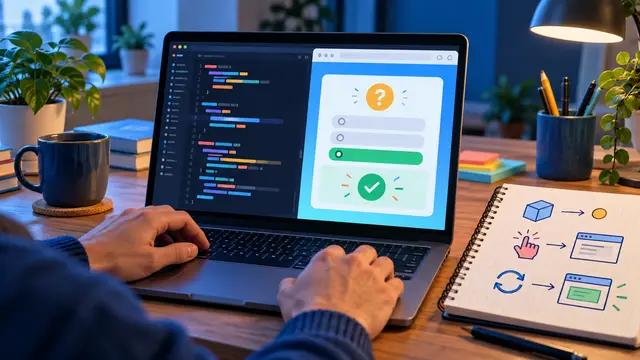
JavaScript becomes easier to understand when each concept has a visible job. A small browser quiz gives beginners a focused project where variables hold the question, a click event starts an action, and a DOM update changes what the user sees. This guide explains how to plan that first quiz, which pieces to build in order, and how the project can turn a confusing JavaScript lesson into a practical skill you can use this week.
The finished version does not need accounts, a database, a scoring service, or a polished game engine. It can show one question, accept an answer, report whether the answer is correct, and move to the next question. That modest result is enough to practice the core relationship between a web page and the code that makes it respond.
For a learner, the value is in the sequence. You start with a plain HTML structure, add a small set of styles, and then write JavaScript that reads a choice and changes the page. Each step produces an observable result. If the question does not appear, you know where to look. If the score does not change, you have a specific behavior to test.
A quiz is also a useful alternative to copying a large tutorial project. Large projects hide beginner mistakes inside many files. A small quiz keeps the parts close enough to inspect. You can explain what each variable stores, what each function does, and which event causes the next action.
Before writing code, define the smallest version. A good first specification might be:
- Show one question with three answer buttons.
- Tell the learner whether the selected answer is correct.
- Keep a score in the page.
- Let the learner move to the next question.
That specification gives every line of code a purpose. It also gives you a finish line. You can add a timer, categories, or a final score screen later, but the first lesson should be about making one complete interaction work.
Why It Matters for Businesses
The ability to build a small interactive page is valuable even when a learner does not plan to become a full-time developer. Many workplace tools are built from the same basic ideas: information is displayed, a person makes a choice, and the screen or workflow responds. Understanding that loop helps employees communicate better with web, product, marketing, and operations teams.
Consider a training coordinator who wants a short knowledge check after a policy lesson. A simple quiz prototype can help that person describe the desired experience before asking for a larger learning system. A customer success specialist might test a troubleshooting decision tree in a browser before turning it into documentation. A small business owner might create an internal product-knowledge practice page for a new hire.
The project does not need to become production software to create value. It teaches a way of thinking that applies to forms, calculators, intake screens, dashboards, and no-code tools. A learner begins to ask useful questions: What information does the user provide? What should happen after the choice? What should the page show when the input is missing or wrong?
A beginner who can answer those questions is better prepared to review AI-generated code. Instead of accepting a long response because it looks technical, the learner can check whether the code has a clear input, a clear action, and a testable result. That is an important workplace skill as more teams use AI assistants to draft small scripts and web components.
Three business-friendly habits a quiz project can strengthen are:
- Breaking a vague request into a small first version.
- Testing normal and unexpected choices before calling a task finished.
- Explaining a technical change in terms of the user experience.
These habits reduce friction in collaboration. A marketing teammate can describe which field should change after a form submission. An operations teammate can specify what should happen when a required value is blank. A manager can review a prototype by trying a few scenarios rather than guessing what the code might do.
The project also creates evidence of learning. A learner can show a working page, describe the four main behaviors, and explain one improvement they would make next. That is more useful than a vague claim that they watched a JavaScript course. It gives a portfolio conversation or performance discussion something concrete to examine.
The Practical Automation Opportunity
The most reliable way to build the quiz is to treat it as four small problems instead of one large assignment. Each problem introduces a JavaScript idea and gives you a checkpoint.
- Define the question data
Start with plain data. One question can be represented by a question string, a short list of answer choices, and the position of the correct choice. In JavaScript, that information might live in an object inside an array. You do not need a database for a practice project. A few questions written directly in the file are enough.
The important learning point is separation. The question content is data. The function that displays a question is behavior. Keeping those ideas distinct makes the project easier to extend. If you decide to change a question later, you should not need to rewrite the code that places the question on the page.
Use simple content while learning. For example, a question about HTML, CSS, or basic workplace technology can have three clearly different options. Avoid questions where two answers seem correct. Confusing quiz content creates a content problem, not a JavaScript lesson.
Your first checkpoint is a page that shows the first question and its choices when it loads. If that does not work, pause there. Inspect the data structure, the element names, and the function that copies the values into the page before adding scoring.
- Build the page structure
Use HTML to create a question area, an answer area, a feedback area, and a small score display. Give each important element a clear identifier. The page structure should make sense even before CSS is added. A person looking at the HTML should be able to tell where the question appears and where the buttons will go.
This is a good place to practice accessibility basics. Use a real heading for the quiz title. Make the answer controls actual buttons rather than clickable paragraphs. Keep the text readable and make sure the focus state is visible when you move through the controls with a keyboard.
The page can be visually plain at first. A clean structure is easier to debug than a page with complicated layout rules. Once the question and choices appear, add just enough CSS to separate the card, buttons, feedback, and score.
Check the page at this stage:
- Does the question have a clear visual location?
- Can you identify each answer choice without relying on color alone?
- Can a keyboard user reach each button?
- Is the feedback area present even before feedback is shown?
These questions connect front-end coding to the real people who will use a page. Styling is not only decoration. Structure, labels, spacing, and control choices affect whether the interaction is understandable.
- Connect click events to decisions
Now JavaScript gives the page behavior. Add a click event to each answer button. When a learner selects a choice, the event handler should identify which choice was selected, compare it with the correct answer, and update the feedback message.
This is where many beginners try to write too much at once. Work in a short loop. First, make a click produce a temporary message. Then read the selected value. Then compare it with the answer. Finally, change the message so it describes the result.
A useful mental model is input, decision, output. The input is the selected button. The decision is the comparison with the correct answer. The output is the feedback text and, when appropriate, a changed score. If you can describe those three parts in plain language, the code becomes easier to inspect.
Avoid hiding every detail inside one giant function. A small function that displays a question and another that checks an answer are easier to test. Names such as currentQuestion, selectedAnswer, and score make the program easier to explain than single-letter variables.
Test both paths after every change. Choose a correct answer and confirm that the feedback is clear. Reload the page, choose a wrong answer, and confirm that the score does not increase. Also check that clicking the same answer repeatedly does not add points repeatedly unless that behavior is intentional.
- Add next-question state
Once one question works, introduce a current question position. The program needs to know which item to display next. A Next button can increase that position, clear the old feedback, and call the display function again.
State sounds like an advanced concept, but the quiz makes it visible. The current question number is simply information the page needs to remember between clicks. The score is another piece of remembered information. When you update either value, the page should show the new state so the learner can see what happened.
Decide what should happen at the end. A simple first version can show a final message and disable the Next button. It can also offer a restart control that sets the question position and score back to their starting values. The goal is not to create every possible feature. The goal is to practice an intentional beginning, middle, and end.
When something breaks, use a repeatable debugging routine:
- Reproduce the problem with the smallest set of actions.
- Read the browser console for the first error, not the last symptom.
- Check the exact value of the relevant variable.
- Confirm that the element identifier in JavaScript matches the HTML.
- Change one thing, test again, and record what changed.
This routine is more useful than randomly editing several lines. It also makes AI assistance safer. You can ask an AI tool to explain a specific console error or suggest three test cases. Then compare the suggestion with your own understanding, make one change, and run the test yourself.
After the core quiz works, choose one improvement that supports learning. You might shuffle the answer order, add a progress indicator, store a high score in the browser, or let the learner restart without refreshing. Pick only one. A focused improvement teaches more than a pile of unfinished features.
The project can also become a bridge to automation. A quiz result could be written to a simple form, a completion message could trigger a notification, or a learner could connect a finished prototype to a no-code workflow. Those extensions make sense only after the page interaction is reliable. Automation should carry a known result, not hide a confusing one.
Business Takeaway
A beginner JavaScript quiz is small enough to finish and rich enough to teach real front-end habits. You practice storing data, responding to events, updating the DOM, tracking state, testing user choices, and explaining a result. Those are the same building blocks that appear in many useful web and workflow tools.
When comparing self-paced coding courses, look for this kind of progression. The course should explain a concept in plain language, put it inside a small project, and give you enough repetition to change the project yourself. A short lesson becomes more valuable when you can connect it to a visible behavior and test what happens when the user does something unexpected.
This week, create one HTML page with three answer buttons, make a click display feedback, and stop there until you can explain exactly which variable, event, and DOM element made the page respond.