What Happened
Many companies have moved past the question of whether AI can help with website lead enrichment and CRM actionability. The harder question is whether the work around AI is disciplined enough to improve daily operations without creating a new layer of confusion. In practical business settings, the pressure usually shows up in a familiar way: website forms capture interest, but sales receives incomplete company context, weak intent signals, duplicate contacts, and inconsistent source details. The team is not trying to be careless. It is trying to move quickly, serve customers, and keep work flowing. The problem is that speed without a visible control system makes small gaps expensive.
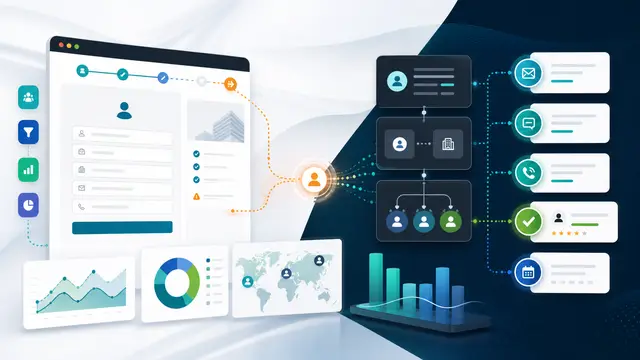
The work touches more systems than one team usually sees. In this case, the operating picture can include website forms, analytics events, CRM leads, enrichment sources already approved by the business, sales sequences, and service account history. Each system may be accurate in isolation, yet the handoff between systems can still be weak. AI is useful here because it can read across records, summarize context, detect missing signals, and prepare an exception for human review. The value does not come from replacing judgment. It comes from making judgment easier to apply at the right moment.
A common mistake is to automate the happy path and leave the messy path to people with no additional support. That creates a hidden queue of unclear requests, half resolved exceptions, and follow up messages that depend on memory. A better pattern is to design the automation around the exception from the beginning. The system should know what normal looks like, what evidence is required, who owns each decision, and when a small issue deserves escalation.
For business leaders, this matters because website lead enrichment and CRM actionability is rarely a technology project by itself. It is an operating rhythm. The workflow needs rules, owners, service levels, evidence, and a way to learn from repeated friction. AI can help create that rhythm by turning scattered data into a concise review packet that a manager, analyst, or frontline lead can act on quickly.
The most useful AI workflows are modest in posture and serious in design. They do not promise magic. They reduce searching, rewriting, comparing, and chasing. They make the next decision clearer. They also leave a record of what happened, which matters when a customer asks why something changed, when finance asks why a number moved, or when an executive wants to know whether automation is actually improving performance.
Why It Matters for Businesses
The business case starts with leakage. Leakage can mean lost revenue, extra labor, missed follow up, slower billing, weaker customer confidence, or management time spent reconstructing facts. With website lead enrichment and CRM actionability, the leakage is often quiet because no single failure looks large enough to demand a redesign. A customer waits an extra day. A sales rep gets a vague task. A finance reviewer asks for the same evidence twice. A report excludes a case that should have been included. Over a quarter, those small defects become real cost.
AI and automation improve the economics when they shorten the distance between signal and action. A signal might be a missing field, a delayed response, a mismatch between two systems, a pattern of repeated exceptions, or a note that contradicts the current status. Without automation, those signals depend on someone noticing them manually. With a well designed workflow, the signals become a daily operating queue that can be measured and improved.
The right measures are specific. For this workflow, leaders should track lead acceptance rate, duplicate creation, speed to qualified follow up, meeting conversion, and CRM field completion quality. These metrics keep the project grounded. They also prevent the team from celebrating activity instead of outcomes. A dashboard that shows more AI summaries is not the same as a process that closes issues faster, protects margin, or improves the customer experience. The measurement plan should prove that the work is producing operational lift.
Governance is another reason this matters. As AI becomes easier to add to forms, inboxes, spreadsheets, and workflow tools, businesses need a way to decide which uses are safe, which need review, and which should be retired. Governance should not be a binder that nobody opens. It should be built into the workflow: approval thresholds, audit notes, sample checks, role based access, and clear ownership when the AI is uncertain.
Small and midsize businesses benefit from this approach because they usually cannot afford a dedicated team to monitor every process. A practical AI workflow can give them some of the discipline of a larger operating model without adding heavy administration. The key is to start with a narrow business problem, define the evidence, and make the output useful to the person who already owns the work.
Customer experience improves when the internal process is less fragmented. Customers rarely care which system caused the delay. They care whether the business remembers context, responds consistently, and resolves the issue without making them repeat themselves. AI can help by assembling the context before the employee responds. That makes the interaction feel more competent while still keeping a person accountable for the final decision.
Employee experience improves for the same reason. People do not mind judgment work. They mind detective work that repeats every day and still leaves them exposed when something is missed. A workflow that gathers facts, highlights risk, and recommends next steps gives employees more confidence. It also helps new team members learn the process because the logic is visible instead of trapped in informal habits.
The broader strategic point is that AI should make the business more observable. Leaders should be able to see where work stalls, which exceptions repeat, which teams need clearer inputs, and which rules are producing unintended consequences. When automation creates that visibility, it becomes more than a labor saving tool. It becomes a management system for improving how the company operates.
The Practical Automation Opportunity
A practical implementation begins with the moment of intake. The workflow should identify the record or request, connect it to the customer, account, project, order, or case, and capture the reason it needs attention. For website lead enrichment and CRM actionability, the intake step should not rely on free form notes alone. It should collect structured fields that support routing and measurement, while still allowing AI to summarize the messy context that comes from emails, forms, comments, and attachments.
The second step is evidence gathering. The system should look across website forms, analytics events, CRM leads, enrichment sources already approved by the business, sales sequences, and service account history and bring back the records that matter. That may include recent customer interactions, open tasks, prior approvals, related invoices, active service commitments, or current website activity. AI can summarize the evidence, but the source records should remain available. This keeps the workflow explainable and prevents the summary from becoming the only version of the truth.
The third step is classification. The workflow should separate normal work from exceptions, and it should explain why a record landed in one category. For example, the system might detect a missing approval, a stale file, a duplicate account, a field that conflicts with another system, or a timing issue that could affect the customer. The classification should be simple enough for teams to trust: proceed, review, escalate, or block until missing evidence is supplied.
The fourth step is ownership. Every exception needs a named owner or role, a due time, and a clear expected action. AI can draft the task description, prepare a customer ready note, or suggest the likely next step. The workflow should still make ownership explicit. An unowned AI alert is just a more sophisticated form of noise.
The fifth step is feedback. When the owner resolves the issue, the workflow should capture the resolution category and any root cause. Was the problem caused by missing customer information, unclear internal rules, disconnected systems, training gaps, or an automation rule that needs adjustment? This feedback is where the process becomes smarter over time. Without it, the business simply handles the same exception faster without reducing its frequency.
A strong first version can be built without trying to automate everything. Start with one queue, one team, and one measurable pain point connected to website lead enrichment and CRM actionability. Define the five or six signals that matter most. Build a review packet. Route the work. Measure the result for thirty days. If the workflow reduces delay and improves decision quality, expand it to adjacent teams or related exception types.
The design should include human review at the points where risk, judgment, or customer promise is involved. AI can recommend, draft, compare, and prioritize. People should approve policy exceptions, customer commitments, sensitive account changes, and financial decisions. This balance keeps automation useful without turning it into an uncontrolled decision engine.
Security and privacy should be addressed early. The workflow should only use data the business is allowed to use for the purpose at hand. It should avoid exposing sensitive fields in broad notifications. It should log when AI was used, which source records informed the summary, and who approved the final action. These controls make the workflow easier to defend and easier to improve.
Integration choices should follow the existing operating model. If the team lives in the CRM, put the action there. If service teams work from a ticket queue, route the exception there. If leaders review daily operations in a dashboard, show aging and trend metrics there. The AI layer should reduce switching between tools, not create another place employees must remember to check.
The implementation roadmap can be straightforward. First, document the current process with real examples. Second, define the decision rules and evidence checklist. Third, create the AI prompt or classification logic using approved data sources. Fourth, test against recent historical records. Fifth, launch with a small group and review exceptions daily. Sixth, adjust rules based on false positives, missed issues, and user feedback. Seventh, publish a simple operating standard so the workflow survives staff changes.
Business Takeaway
The practical takeaway is that website lead enrichment and CRM actionability should be treated as an operating control, not a novelty feature. AI is strongest when it helps people see the full context, act sooner, and leave a better trail of decisions. The business does not need a sprawling transformation program to start. It needs one process where the cost of delay, rework, or missed context is already visible.
For LJ Web Management clients and similar business teams, the best next step is to choose a workflow where website forms capture interest, but sales receives incomplete company context, weak intent signals, duplicate contacts, and inconsistent source details. Map the required evidence, decide who owns each exception, and build a small AI assisted queue around that decision. When the workflow can prove movement in lead acceptance rate, duplicate creation, speed to qualified follow up, meeting conversion, and CRM field completion quality, the company has more than an automation. It has a repeatable way to turn operational friction into measurable improvement.
The companies that get the most from AI will not be the ones that add it to every task at once. They will be the ones that use it to make important work clearer, faster, and easier to govern. That is where automation becomes durable business value: fewer loose ends, better decisions, stronger follow through, and a cleaner connection between daily activity and measurable ROI.