
What Happened
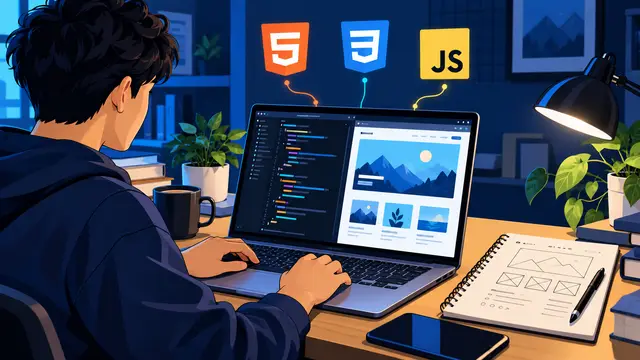
Many beginners study HTML, CSS, and JavaScript as separate lessons and still feel unsure when someone asks, “What can you build?” A small portfolio project turns those lessons into visible proof. This guide explains how to choose one useful project, divide it into manageable practice sessions, and finish with a page you can show to a friend, client, hiring manager, or future instructor.
You do not need a complicated app, a clever startup idea, or a long list of frameworks. You need a clear problem, a small audience, and a repeatable way to move from a sketch to a working browser page. By the end, you will understand what each web skill contributes, which beginner mistakes slow projects down, and how to create a one-week practice plan that produces something real.
Start With a Small Proof of Skill
A beginner portfolio project should answer one simple question. Can you make a useful page for a specific person? Good examples include a one-page service menu, a personal reading tracker, a local event landing page, a simple habit checklist, or a project card page for a small business. Each idea has a clear purpose and gives you a reason to practice structure, styling, and interaction.
The project should be narrow enough to finish. If the first idea needs user accounts, payments, a database, and a mobile app, it is not a first project. Reduce it until the core experience fits on one or two pages. A smaller finished project teaches more than a large unfinished plan because you practice the entire loop: deciding, building, testing, revising, and explaining.
Use a short project brief before opening the code editor. Write down:
- The person who will use the page.
- The one task the page should make easier.
- The information the visitor must see first.
- One action the visitor should be able to take.
- One detail you will intentionally leave out of version one.
That last item matters. Scope is not a limitation you apologize for. It is a design decision that protects your learning time. A page that clearly presents a service, lets someone filter a list, or validates a short form is enough to demonstrate meaningful progress.
What HTML Adds to the Project
HTML gives your project structure and meaning. It tells the browser which content is a heading, which text is a paragraph, which items belong in a list, and which controls accept input. You can think of HTML as the organized outline of the experience. Without it, later styling and behavior become harder to understand.
Start by writing the content in a logical order before worrying about colors. A simple portfolio project might include a header, a short introduction, a main content area, a collection of cards, and a footer. Use headings in a sensible sequence. Put related information inside sections. Give buttons and form fields names that make sense to a visitor.
Semantic structure also helps you explain your decisions. Instead of saying that you copied a visual design, you can say that you created a navigation area, a list of project items, and a form with clear labels. That vocabulary shows that you are learning how a page works, not only how to make a screenshot look attractive.
A useful HTML practice exercise is to build the project in plain text first. Create the headings, paragraphs, links, labels, and list items with no custom styling. Then open the page in a browser. If a visitor can understand the basic order of information before the page looks polished, your foundation is strong.
What CSS Adds to the Project
CSS turns the structure into an experience with hierarchy and visual rhythm. It controls spacing, sizing, color, alignment, borders, responsive behavior, and the difference between a page that feels calm and one that feels crowded. Beginners often try to style everything at once. A more reliable approach is to establish a small visual system and reuse it.
Choose a limited palette, two or three text sizes, and a consistent spacing scale. For an LJ Web Management style practice project, a deep navy background, bright cyan accents, and clear white content areas could create a modern learning feel. The exact colors matter less than consistency. Repeated choices make the page feel intentional.
Build CSS in layers:
- First make the content readable with a sensible font size, line height, and contrast.
- Next create the main layout with a container, columns, cards, or a simple grid.
- Then add emphasis through color, borders, buttons, and small state changes.
- Finally test the layout at narrow and wide browser sizes.
This order makes debugging easier. If the page is difficult to read, decorative effects will not solve the problem. If cards are overflowing on a phone, a shadow or gradient is not the right fix. Start with the information and the space around it.
Responsive practice is especially valuable because it forces you to think about real users. A page that looks good only at the size of your laptop is not finished. Resize the browser and look for clipped buttons, lines that run too long, images that stretch, or navigation that becomes difficult to tap. Adjust the layout with flexible widths, wrapping, and a small number of deliberate breakpoints.
What JavaScript Adds to the Project
JavaScript gives the page behavior. It can respond to a click, read a form field, filter a group of cards, update a count, show a message, or change what is visible without forcing the visitor to reload the page. For a first portfolio project, one useful interaction is enough. You do not need to build a full application to prove that you understand the basics.
Pick behavior that matches the project’s purpose. A reading tracker could add a book to a short list. A service menu could filter offerings by category. A contact form could check whether required fields are filled and provide a helpful message. A habit checklist could update a completion count. Each example creates a reason to practice variables, functions, events, conditions, and simple DOM updates.
Plan the interaction in plain language before writing code. For example:
- The visitor types a task into the input.
- The visitor selects the add button.
- The script checks whether the input contains useful text.
- The page creates a new task item.
- The input is cleared and the visitor sees the updated list.
This description becomes a small implementation map. When the code fails, you can ask which step is not happening. That is much more productive than staring at a large script and guessing.
Keep your first JavaScript file readable. Use names such as taskInput, addButton, and taskList instead of vague names like x or data. Break repeated work into small functions. Add a console message temporarily when you need to confirm that a click handler runs. Once the behavior works, remove messages that do not help the finished project.
A One-Week Project Practice Plan
A short schedule creates momentum without pretending that everyone has the same amount of free time. The goal is not to spend seven perfect days at a desk. The goal is to give each session one visible outcome.
On day one, choose the project and write the brief. Gather only the content you need. Sketch the page on paper with boxes for the header, main content, action, and footer. Do not spend the session browsing for inspiration until the project becomes someone else’s design.
On day two, write the HTML. Build the page in a logical order and make the text understandable without styling. Open it in the browser after each major section. Fix missing closing tags, incorrect nesting, and unclear labels while the structure is still small.
On day three, create the basic CSS system. Set the page width, text styles, spacing, and primary colors. Make the most important content visually obvious. Check the page at a narrow width before adding decorative details.
On day four, add one JavaScript interaction. Write the plain-language steps first, then implement one step at a time. Use the browser console as a feedback tool. If the interaction feels too large, remove features until the central behavior is reliable.
On day five, test the project like a visitor. Click every button. Submit empty fields. Enter unexpected text. Resize the browser. Look for confusing instructions, weak contrast, and places where the page gives no response. Write down issues before fixing them so you can see patterns.
On day six, improve the project’s explanation. Add a short project description, the problem it solves, the tools used, and one challenge you overcame. Take a clean screenshot only after the page works. Your explanation is part of the portfolio because it shows how you think.
On day seven, publish or share the finished version in the simplest safe way available to you. Send it to a study partner, add it to a portfolio folder, or use it as the starting point for a course review. Record what you would change in version two, then stop. Finishing is a skill worth practicing.
Why It Matters for Businesses
Businesses benefit when people can turn basic technology knowledge into small, dependable improvements. A team member who understands HTML can make a clearer internal page. Someone practicing CSS can improve a form or dashboard layout. A person learning JavaScript can add a small validation step that prevents avoidable errors. These are modest changes, but they can remove friction from everyday work.
The value is not limited to employees with “developer” in their job title. Marketing, operations, support, and administrative teams often work with web forms, content systems, dashboards, and customer portals. A practical course gives them enough context to ask better questions, spot a broken experience, and communicate clearly with a technical partner.
Managers can support this kind of learning by assigning small, low-risk practice projects. For example, a learner might prototype a better internal resource page with sample data rather than changing a live system. The exercise can still cover structure, visual clarity, testing, and documentation. It gives the learner a concrete artifact while protecting production work.
Teams should also set honest expectations. A beginner project is not a replacement for security review, accessibility testing, or experienced engineering on high-impact systems. It is a way to build confidence and technical fluency. When learners know where their practice ends and production responsibility begins, they can grow safely.
Useful business outcomes from beginner web practice include:
- Clearer communication between subject-matter experts and developers.
- Better first drafts for landing pages, internal tools, and content updates.
- Faster recognition of simple usability problems before they reach customers.
- More confidence when evaluating a course, a vendor, or a proposed technical change.
The Practical Automation Opportunity
Learning web fundamentals also prepares you to use AI and no-code tools more intelligently. A person who understands page structure can ask an AI assistant to create a more useful HTML outline. Someone who understands inputs, events, and validation can evaluate whether generated JavaScript is safe and appropriate. A learner who understands CSS can spot when a generated layout is inaccessible, crowded, or fragile on mobile screens.
The important habit is to use AI as a practice partner, not as a substitute for checking. Ask for a small example, predict what it should do, run it, and compare the result with your expectation. If the code behaves differently, isolate the difference. This loop builds judgment faster than pasting a large answer into a project you cannot explain.
You can also connect a small web project to a simple workflow after the core page works. A form submission might send a notification to a shared inbox. A completed practice checklist might add a row to a spreadsheet. A project request might trigger a task in a planning tool. Zapier or Make can help you explore these connections, but the useful learning starts with understanding what data is collected, what event begins the workflow, and what result should be confirmed.
Before automating a project, write down:
- The trigger and the information it produces.
- The action that should happen next.
- The person responsible for checking the result.
- The failure message or fallback process.
This is where coding basics and automation basics meet. A clean form makes better input. Clear labels make better workflow fields. A small validation rule reduces bad data. A visible confirmation message helps a person trust the handoff. You do not need advanced software to practice these ideas.
LJ Web Management’s short, self-paced course approach fits this kind of work because a learner can study one concept, apply it to a small project, and return to the lesson when a real question appears. Pay-once access and plain-language instruction can make the path easier to start for a busy professional who wants a useful skill this week, not a subscription full of filler.
Business Takeaway
A portfolio project is valuable because it makes learning visible. It shows that you can take a small problem, structure information, create a usable interface, add one purposeful interaction, and test what you built. That sequence is more convincing than a list of disconnected tutorials.
Choose a project that fits one week of practice. Keep the first version deliberately small. Use HTML to make the content meaningful, CSS to make it clear, and JavaScript to make one action useful. Then explain the choices in everyday language. This approach gives beginners a practical starting point and gives working adults a concrete way to decide whether web development is the next course lane worth exploring.
This week, sketch one small page on paper, build its HTML before styling it, and save a screenshot of the working result as the first artifact in your portfolio.