
What Happened
Many people who want to learn coding begin with a difficult question: what should the first real program actually do? A blank editor can make programming feel more abstract than it needs to be. Python offers a friendly place to start because beginners can practice useful ideas such as variables, decisions, repetition, and functions without first learning a large amount of punctuation or browser setup.
This guide explains three small Python programs that turn those ideas into visible results: a weekly task tracker, a simple budget checker, and a text-based guessing game. You will see what each project teaches, which mistakes are normal, and how to extend each exercise after the first version works. The goal is not to memorize a language in one sitting. It is to build enough confidence to read a short script, change one part, test it, and understand why the result changed.
A good first project is small enough to finish and useful enough to invite another question. Instead of copying a long tutorial line by line, you can use each program as a practice bench. Type a short example, run it, make one controlled change, and observe the output. That cycle is the beginning of practical programming.
Python is also a useful companion skill for learners who are exploring AI, automation, or data work. Even when a tool has a friendly interface, basic coding knowledge helps you understand inputs, outputs, conditions, and errors. Those concepts appear in scripts, no-code workflows, prompt pipelines, and many technical jobs.
Start with the mental model
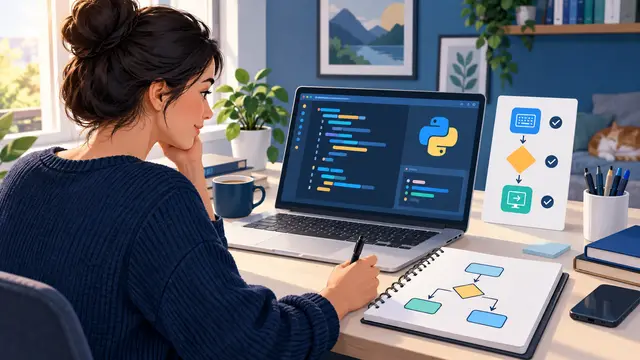
Before writing code, think of a program as a sequence of decisions. It receives information, transforms that information, and produces a result. A beginner does not need to understand every part of a computer to use this model.
- An input might be a task name, a price, a number, or a yes-or-no answer.
- A process might compare values, repeat an action, or organize information.
- An output might be a message, a total, a reminder, or a game result.
When a script fails, return to those three questions. What information entered the program? What did the program do with it? What result did you expect? This habit is often more valuable than remembering a particular line of syntax.
A short course in coding basics should give you several chances to practice this model. It should explain the idea in plain language, then let you apply it in a small project where the result is easy to inspect. That is the kind of progress a busy learner can carry into the next lesson.
Why It Matters for Businesses
Businesses do not need every employee to become a full-time software developer. They do benefit when more people can understand simple logic and communicate clearly about technical work. A coordinator who can describe the steps in a repetitive report, a marketer who can clean a small list, or an owner who can test a basic calculation has more options than someone who sees every technical task as an unknown wall.
Python practice builds that kind of practical confidence. A learner starts by naming values and printing results. Soon the learner can explain the difference between a fixed value and information entered by a user. Later, the learner can recognize when a process needs a condition, a loop, or a reusable function. Those are not only programming terms. They are ways to describe work more precisely.
Consider a small service company that tracks follow-up tasks in a spreadsheet. An employee who understands basic Python may not replace the entire system, but they can reason through a helpful script. The script could read a list of due dates, identify items that need attention, and produce a short review list. The same learner can then discuss the desired behavior with a developer or automation specialist using specific examples instead of a vague request to “make it smarter.”
Small programs also make AI-assisted coding more useful. An AI tool can suggest a function or explain an error, but the learner still needs to judge whether the suggestion matches the business rule. Without that understanding, it is easy to accept code that produces an attractive but incorrect result. Coding fundamentals give the learner a way to test the answer.
Three workplace abilities that grow from beginner practice
- Breaking work into steps: A process that feels messy becomes a sequence of inputs, checks, actions, and outcomes.
- Spotting exceptions: Conditions teach learners to ask what should happen when a value is missing, late, too high, or unexpected.
- Testing before trusting: Running a script with normal, empty, and unusual inputs builds the same careful habit needed for reliable automation.
These abilities matter for teams because small errors often spread through repeated work. A mistaken total, skipped follow-up, or misunderstood rule can create more rework than the original task required. A learner who knows how to test a simple program is better prepared to ask where a larger workflow needs a check.
Python is especially approachable for a first coding course because its short examples can resemble plain instructions. That does not mean the language removes the need for careful thinking. It means the learner can spend more attention on the problem itself instead of wrestling with a large amount of setup. A practical course can use that advantage to build momentum quickly.
Businesses can support this learning without creating another complicated training program. Give employees a small, relevant exercise. Let them work through it at their own pace. Ask them to explain what the program expects and what it returns. The value comes from connecting a course concept to a real process, not from collecting a new credential without practice.
What a useful beginner course should include
Look for lessons that include:
- Short explanations of variables, strings, numbers, conditions, loops, and functions.
- Exercises that ask you to change the code, not only copy it.
- Error messages explained in normal language.
- Examples that use realistic tasks rather than disconnected puzzles.
- A final project that can be shown, improved, or reused as a portfolio piece.
A self-paced course is a good fit for working adults because the learner can pause after a concept and return when there is enough time to practice. One focused session might cover variables. Another might improve the task tracker. Progress does not require an entire weekend or a subscription that keeps charging while you decide what to learn next.
The Practical Automation Opportunity
The first program in this learning path is a weekly task tracker. Start with a short list of tasks and a status for each one. In the simplest version, the program prints the tasks. In the next version, it asks the user for a task and stores the response. After that, add a condition that labels a task as complete or still open.
This project teaches the relationship between data and decisions. A task name is text. A completed status can be represented by a simple answer. The program can use that answer to choose a different message. If you later store several tasks in a list, you can use a loop to review them one at a time.
A useful practice sequence looks like this:
- Create two or three task names as variables.
- Print each task in a readable sentence.
- Ask the user whether one task is complete.
- Use a condition to print the appropriate status.
- Add a loop so the program can review more than one task.
- Test the program with an unexpected answer and decide how to handle it.
Do not worry if the first version is repetitive. Repetition can show you why a loop or function would help. That is a better lesson than adding advanced features before you understand the problem.
The second project is a simple budget checker. Ask the user for a planned amount and an actual amount, then calculate the difference. If the actual amount is greater, print a message that identifies an overage. If it is lower, print the remaining amount. This exercise introduces numeric values, conversions, comparisons, and clear output.
The important lesson is not the arithmetic. It is the business rule. What should happen if the values are equal? What if the user enters a decimal? What if the input is empty or includes a currency symbol that the program does not understand? A beginner can make a checklist of those cases and test them one at a time.
You can extend the budget checker by adding categories such as supplies, travel, or software. Then compare planned and actual amounts for each category. The project begins to resemble the logic behind a small reporting workflow. It is still safe to inspect because the data is limited and the output is visible.
The third project is a text-based guessing game. The program chooses a number within a range, asks the player to make a guess, and responds with a clue that the guess is too high or too low. The game continues until the player succeeds or reaches a limit on attempts.
This project combines several ideas in one place:
- A variable stores the secret value and another stores the current guess.
- A condition compares the guess with the secret value.
- A loop gives the player another attempt.
- A counter records how many guesses have been used.
- A function can keep the game instructions separate from the comparison logic.
Games are useful in beginner learning because the feedback is immediate. You can see what changes when the range becomes larger, the number of attempts becomes smaller, or the hint becomes more specific. You can also practice debugging by intentionally changing one line and predicting how the behavior will shift.
Turn exercises into responsible automation skills
After these projects work, connect them to a broader automation mindset. A task tracker resembles a reminder workflow. A budget checker resembles an exception report. A guessing game resembles a set of rules that receives input and returns a decision. The similarities do not mean the small scripts are ready to run a business by themselves. They give you a safe way to understand the logic before you connect real accounts or sensitive information.
That safety boundary matters. Beginner projects should use sample names, sample numbers, and fake records. Do not paste passwords, private customer details, or confidential financial information into a learning script or an AI coding assistant. Learn how inputs move through a program before you decide what data a real workflow should handle.
When you are ready to improve a project, choose one change at a time. Add an input check. Store results in a file. Create a summary. Move repeated logic into a function. Ask an AI tool to explain a specific error, then verify the explanation by running a test case. Each change should answer a concrete question.
A short, self-paced course can help you make those changes in a useful order. It can introduce the language, guide a small build, and leave room for experimentation. That structure is often more effective than jumping between unrelated tutorials because each lesson reinforces the same mental model.
Here is a practical weekly practice plan:
- Day one: Learn variables and print a clear result.
- Day two: Add user input and handle one normal response.
- Day three: Add a condition for two possible outcomes.
- Day four: Repeat a step with a loop.
- Day five: Put one repeated action into a function.
- Day six: Test an empty, large, or unexpected value.
- Day seven: Write down what the program does in plain language.
This schedule is intentionally modest. A learner with a full workday may have only twenty or thirty minutes. Consistent small sessions can still create a working project and a clearer sense of what to learn next.
Business Takeaway
Python basics are worth learning when they help you see work as a set of understandable steps. The first goal is not to build a complex application. It is to become comfortable naming information, applying a rule, repeating an action, and checking the result. Three small programs can provide that foundation while showing how coding connects to reporting, task follow-up, budgeting, and automation.
For businesses, the benefit is better technical judgment across the team. Employees who understand simple scripts can describe requirements more clearly, test AI-generated code more responsibly, and notice where a process needs a safeguard. For individual learners, the benefit is momentum. A finished task tracker or budget checker is evidence that a technical idea can become something you control.
Choose a beginner Python course that includes practice, plain-language explanations, and a small project path. Then build the task tracker first, change one behavior, and write down what you learned before moving to the next lesson.