What Happened
Website error reports often arrive as noise. A visitor submits a form saying the page did not work. A support agent hears that a checkout button failed. A monitoring tool sends an alert about a script error. Analytics show a sudden drop in conversion on one device type. A sales representative forwards a screenshot from a prospect. Each signal may be valid, but the business can struggle to turn those signals into repair work that is clear, prioritized, and assigned. The result is a familiar pattern: the loudest complaint gets attention while quieter but more expensive errors wait.
AI can help businesses convert website error reports into an organized repair queue. It can read submitted descriptions, classify the affected workflow, detect duplicates, group similar incidents, compare reports with analytics patterns, and create a concise repair brief for the right owner. This does not remove the need for developers, designers, marketers, or support leaders. It gives those people a better starting point. They receive a ranked list of issues with context instead of a pile of disconnected messages.
The most useful website repair workflow begins by treating customer-reported errors as business signals, not just technical tickets. A broken contact form is a sales issue. A confusing appointment scheduler is an operations issue. A pricing page display problem is a revenue issue. A mobile layout problem can become a trust issue if prospects think the company does not maintain its digital presence. AI is useful because it can connect the technical symptom to the business workflow affected by the problem.
For many small and mid-sized businesses, the challenge is not that nobody cares about the website. The challenge is that website ownership is distributed. Marketing manages content. Developers handle code. Sales depends on lead flow. Customer service hears complaints. Leadership watches revenue. Without a structured intake and prioritization process, every website issue becomes a negotiation. AI can reduce that friction by translating messy reports into a shared language: what appears broken, who is affected, what evidence exists, what the likely impact is, and what should happen next.
A strong workflow also captures weak signals. One visitor saying that a form froze may not justify an emergency. Five similar reports from mobile visitors on a campaign landing page should get attention quickly. AI can group these reports even when people describe the issue differently. That grouping turns scattered complaints into a pattern that the team can trust enough to investigate.
Why It Matters for Businesses
Prioritization matters because not every website error deserves the same response. A typo on a low-traffic article is different from a form failure on a campaign landing page. A visual issue that appears only in an outdated browser is different from a payment interruption on mobile. A broken internal link is different from a trust problem on a service page where buyers are deciding whether to contact the company. The workflow should make these differences visible.
AI can help by scoring issues across practical dimensions. How many visitors are likely affected? Is the issue blocking conversion, support, scheduling, payment, login, or content consumption? Is there evidence from multiple sources? Is the affected page tied to an active campaign or high-value service line? Has the same report appeared before? Is the problem reproducible? Does it create compliance, accessibility, or brand risk? The answer does not have to be perfect to be useful. Even a rough first pass can save teams from reacting only to whoever complained most recently.
The workflow can also improve communication with customers and internal teams. When a customer reports an error, support can send a better response if the issue is automatically classified and acknowledged. When marketing asks for a fix, developers can see the business context instead of guessing why it matters. When leadership asks whether website problems are affecting lead flow, the team can show trends instead of anecdotes. This reduces friction between teams that often want the same outcome but use different vocabulary.
ROI should be measured in terms the business already understands. Track time from first report to triage. Track duplicate issue volume. Track the percentage of reports that include enough evidence for repair. Track conversion recovery after high-impact fixes. Track support contacts caused by website confusion. Track developer time spent clarifying vague tickets. A website repair workflow is not successful because it uses AI. It is successful when it helps the team fix the right problems sooner with less back-and-forth.
This approach also protects focus. Developers lose time when vague tickets interrupt planned work, and business teams lose trust when urgent customer issues sit in a general backlog. A prioritization layer lets teams keep planned work moving while still escalating true business blockers. That balance is difficult to maintain when every report arrives through a different channel.
The Practical Automation Opportunity
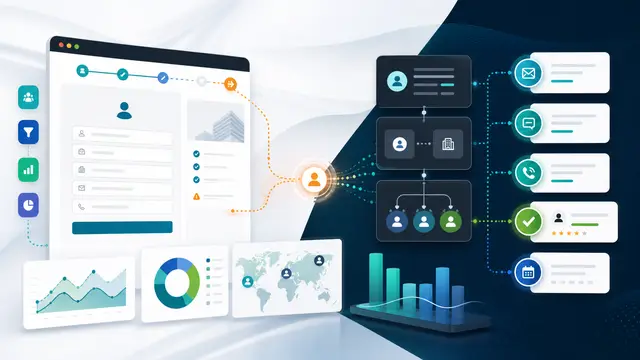
Start by creating a single intake path for website issues. It can receive form submissions, monitoring alerts, support notes, analytics anomalies, session replay tags, and screenshots. The automation should normalize each item into a common record: affected URL, user device if known, browser if known, workflow affected, description, attachment, timestamp, reporter type, and suspected business impact. AI can extract these fields from unstructured descriptions and flag missing details that would help reproduce the issue.
Then add classification. Common categories include lead form issue, checkout or payment issue, booking issue, login issue, navigation issue, content accuracy issue, mobile layout issue, accessibility concern, speed concern, tracking or analytics issue, and security concern. AI should also detect duplicate or similar reports. If ten visitors describe the same form failure in different words, the workflow should merge those signals into one incident and raise its priority.
The repair brief is the most important artifact. A good brief includes a plain-language summary, affected business workflow, evidence gathered, reproduction clues, likely severity, recommended owner, and suggested next step. It should avoid pretending to know the root cause when the evidence is incomplete. For example, it can say that multiple mobile users reported a submit failure on the request-a-quote page after selecting an attachment, and that analytics show a drop in form completion on mobile during the same period. That is enough for a developer or web manager to investigate quickly.
Routing should reflect business ownership. Conversion-blocking issues go to web operations and sales or marketing leadership. Content accuracy issues go to the content owner. Accessibility issues go to the person responsible for compliance and design. Tracking issues go to analytics or marketing operations. Security concerns go to the technical owner immediately. AI can propose the route, but the workflow should allow reassignment and should learn from those corrections.
Close the loop after repair. When a fix is marked complete, the automation should request validation evidence: screenshot, test result, analytics recovery, support confirmation, or monitoring status. It should notify affected internal teams and, when appropriate, the customer or employee who reported the issue. Over time, the system should identify recurring patterns. If many issues come from one template, form provider, campaign process, or plugin update, the business can solve the source instead of repairing symptoms forever.
Start with the highest-value workflows first. For many companies, that means contact forms, quote requests, booking paths, checkout, login, and service pages tied to active campaigns. Once those are stable, expand the same intake model to content quality, analytics tagging, accessibility findings, and support deflection pages.
The workflow becomes stronger when it separates symptoms from suspected causes. A customer may say the website is broken, but the useful symptom might be that the submit button did not respond after a file upload. A monitoring alert may mention a script failure, but the business symptom might be that quote requests dropped from a paid campaign page. AI should preserve both views. Technical teams need reproduction details, while business owners need to know which customer journey is at risk. A repair queue that includes both views creates fewer translation delays.
Another useful practice is to include severity examples inside the workflow. A severity one issue might block revenue, payment, login, security, or a high-volume customer support path. A severity two issue might degrade a major page without fully blocking the user. A severity three issue might affect content accuracy, layout quality, or analytics confidence. A severity four issue might be cosmetic or low exposure. These examples help AI classify consistently and help teams trust the routing logic. They also make escalation less personal because the priority is tied to visible business rules.
Business Takeaway
Website errors are not just technical interruptions. They are moments where customers, prospects, and employees discover whether the company can respond with discipline. AI helps by turning scattered reports into repair work that is clear, ranked, and accountable. The strongest workflow does not chase every alert equally. It groups evidence, estimates business impact, routes the issue to the right owner, and verifies that the fix actually worked. Start with the website workflows closest to revenue or customer trust, then expand the intake as the team learns. The payoff is faster repair, fewer repeated complaints, and a website operation that feels managed instead of reactive.