What Happened
Customer training is often treated as an event, but adoption is a sequence of follow-
through. A customer may attend a session, thank the trainer, and still fail to use the
product or process consistently. The signals are usually visible, but they are scattered
across attendance records, usage data, support questions, and account notes.
The practical issue is not that customer success, implementation, training, support, and
account management teams lack effort. It is that the work lives across learning attendance,
CRM notes, product usage, support tickets, onboarding milestones, and customer health
records, and each system only shows part of the truth. One person sees the customer promise.
Another sees the operational constraint. Another sees the policy or financial risk. AI
becomes useful when it helps the team bring those fragments together before a decision is
made.
In many companies, a completed training session with uncertain follow-through is still
handled as a message, a spreadsheet note, or a queue item with too little context. The
result is a familiar pattern: the first person who touches the work either guesses, forwards
it, or waits for someone else to clarify the next step. That delay is expensive because the
customer still expects a clean answer while the business is still collecting the facts.
A better workflow treats every training follow-up as a structured decision. The automation
captures the request, identifies the relevant customer, checks the policy or promise,
gathers operational evidence, and then places the work into a queue with a recommended
action. The recommendation is not a blind approval. It is a prepared decision packet that
helps the right person decide faster.
This is where the combination of AI and automation matters. Rules are good for known
thresholds, required fields, and standard routing. AI is better at interpreting messy notes,
comparing descriptions, summarizing evidence, and spotting inconsistencies that would
otherwise hide inside comments. Together they create a controlled workflow that is faster
without becoming careless.
One customer may attend training but never complete the first workflow. Another may ask
several basic support questions after the session. A third may have strong attendance from
managers but no participation from the people who do the daily work. Each situation needs a
different follow-up, and manual tracking rarely keeps up.
The goal is not to remove judgment from customer success, implementation, training, support,
and account management teams. The goal is to reserve judgment for the moments where it
changes the outcome. Routine cases should move cleanly. Exceptions should arrive with
context. Leaders should be able to see volume, cycle time, policy exceptions, and follow-up
quality without asking people to rebuild the story by hand.
Why It Matters for Businesses
Training follow-up matters because adoption risk is easier to fix early. Once a customer has
gone quiet for weeks, the account team may be rebuilding momentum instead of guiding the
next action. AI can help identify who needs attention while there is still time to help.
The measurable value starts with time. When employees spend ten or fifteen minutes searching
across systems before they can even make a basic call, every queue grows slower than it
looks. AI-assisted preparation reduces that search time and gives managers a clearer view of
where work is waiting for a decision instead of where work simply exists.
The second value is consistency. Customers notice when similar situations receive different
answers. Finance notices when exceptions are approved with weak evidence. Sales notices when
operational promises change after the fact. A workflow that applies the same intake logic,
evidence checks, and escalation rules makes the business easier to trust from the inside and
the outside.
The third value is learning. Every completed training follow-up creates data about why the
work happened, which evidence mattered, who decided, and what outcome followed. That history
can improve routing rules, reveal policy gaps, and show which customer segments or process
steps create the most avoidable friction.
For leadership, this changes the conversation from anecdote to operating signal. Instead of
asking why a backlog feels heavy, leaders can see which categories are rising, which
decisions need approval, and which upstream process creates rework. That is the difference
between managing a queue and improving the system that feeds the queue.
The risk is that teams confuse delivery with outcome. Completing the training session is not
the same as creating confident users. A follow-up workflow helps the business watch for
early signs that training did not turn into behavior change.
Useful governance also becomes easier. A controlled AI workflow can log the source records,
the model summary, the recommended action, the human decision, and the reason code. That
audit trail matters because businesses do not only need speed. They need to explain why an
action was taken, especially when money, customer promises, compliance, or account
relationships are involved.
The return on investment should be measured in practical terms: fewer touches per case,
shorter response times, lower rework, cleaner escalations, fewer preventable customer
disappointments, and better management visibility. The business case is strongest when the
workflow removes repeated coordination work while improving the quality of the decision
record.
The Practical Automation Opportunity
The automation opportunity is to connect training events to customer behavior. The workflow
can compare attendance, role coverage, usage milestones, support activity, and account
goals, then recommend the right follow-up path for each customer.
Start by defining the intake record. For customer training follow-up, the minimum useful
record should include the customer or account, the triggering event, the promised or
expected outcome, the relevant policy, the owner, the due date, and the evidence needed for
a decision. If those fields are not captured at the beginning, the workflow will recreate
the same confusion in a prettier interface.
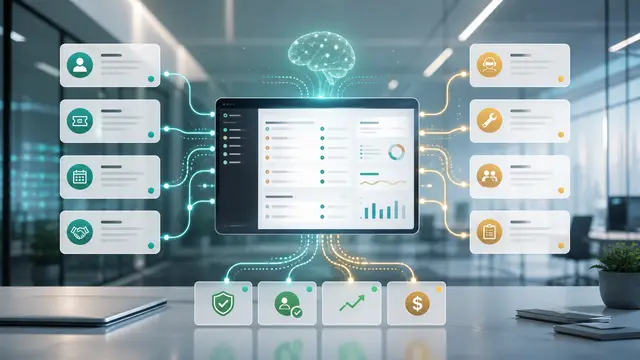
Next, connect the evidence sources. That may include CRM activity, invoices, order history,
website form details, support tickets, calendar appointments, training attendance, contract
terms, project milestones, or internal notes. The automation should not ask employees to
paste what the business already has. It should retrieve the record, summarize what matters,
and show source links for review.
Then add AI enrichment where judgment requires interpretation. The model can classify the
training follow-up, summarize messy comments, compare the request against policy language,
detect missing evidence, identify sentiment or urgency, and draft a recommended next action.
The output should be structured, short, and reviewable. Long generated explanations usually
slow people down.
Human approval should be designed into the workflow from the beginning. Low-risk items may
be approved automatically if the rules are clear. Medium-risk items can be prepared by AI
and approved by a team lead. High-risk items should route to the right manager with the full
evidence packet. The point is to make escalation intentional instead of relying on whoever
happens to see the message first.
A practical workflow for this topic can include these steps:
- Capture the training follow-up from the source channel.
- Normalize the customer, account, and operational records.
- Check policy, promise, and threshold rules.
- Use AI to summarize context and flag missing evidence.
- Route the item to the correct owner with a recommended action.
- Log the decision, reason code, and customer communication.
- Review weekly trends for preventable causes and process improvements.
Measure follow-up completion, time from training to first successful action, adoption
milestones reached, support tickets after training, accounts with missing role coverage, and
renewal or expansion outcomes for trained cohorts. These metrics reveal whether enablement
is producing behavior change or only calendar activity.
Do not begin with a giant transformation program. Begin with one queue, one decision type,
and one management dashboard. Prove that the workflow reduces touches and improves decision
quality. Once the team trusts the pattern, expand to adjacent cases and add more nuanced
rules. Good automation earns scale by performing well in a narrow area first.
Data quality needs attention, but it does not need to be perfect before the first version.
The workflow can expose missing fields, inconsistent statuses, duplicate records, and stale
ownership as part of its normal operation. In that sense, automation becomes a data quality
engine because every exception shows where the underlying process needs cleanup.
Start with one training program and three follow-up categories: ready to advance, needs
reinforcement, and needs manager intervention. AI can summarize attendance notes and support
questions, while rules check usage milestones and required roles. The account owner should
receive a concise action plan, not a long report.
The best implementations make the employee experience simpler. A person should open one work
item and immediately understand what happened, what evidence was checked, what the system
recommends, what risk exists, and what action is required. If the workflow makes people read
five systems and a long AI paragraph, it has missed the point.
Business Takeaway
Training creates value only when customers turn instruction into repeated action.
For many organizations, the opportunity is hiding in plain sight. Customer training follow-
up already happens every week, but it often happens through scattered messages and
individual follow-up habits. AI and automation turn that informal effort into a repeatable
operating rhythm.
The winning approach is practical: capture the work cleanly, gather the evidence
automatically, use AI for interpretation and summarization, keep humans in control of
meaningful decisions, and measure the outcomes that matter. That is how businesses get real
value from AI without adding another layer of noise.
An AI follow-up workflow helps teams identify stalled adoption early, personalize outreach,
and make enablement a measurable part of customer success instead of a completed calendar
item.