What Happened
Cybersecurity can feel abstract when a course only presents definitions, attack names, and long lists of warnings. A beginner home lab turns those ideas into small, controlled exercises you can repeat without touching anyone else’s accounts or systems. In this guide, you will learn how to create a simple practice environment, complete three safe exercises, and recognize the habits that make security skills useful at work.
The goal is not to become an ethical hacker in a weekend. The goal is to practice noticing risk, documenting what you see, and making one careful improvement at a time. Those are the same habits a help desk technician, office manager, small business owner, junior developer, and security analyst use when they protect real information.
A good beginner lab needs three qualities. It should be isolated enough that mistakes do not affect real services. It should be small enough that you can finish an exercise in one sitting. It should also produce evidence of your thinking, such as a checklist, a before-and-after setting, or a short incident note. That evidence is what turns passive reading into a skill you can explain.
You do not need expensive hardware or advanced tools. A spare computer, a virtual machine, a test account, and a notebook are enough to begin. If you are taking a short self-paced cybersecurity course, the lab can become your practice companion. Read one concept, test it in the lab, record what changed, then decide what question you want to explore next.
Before you start, make one firm rule: use only systems and accounts you own or have explicit permission to test. Do not scan a public website, guess a neighbor’s password, send a deceptive message, or download unknown software just to see what happens. Safe learning is still real learning, and good boundaries are part of the skill.
Why It Matters for Businesses
Small organizations rarely fail because nobody has heard the word cybersecurity. They struggle because everyday actions are inconsistent. One person reuses a password, another forwards a sensitive file to a personal account, and a third leaves an old user active after a role change. Each action may seem minor, but together they create a path for confusion and loss.
Practical beginner training helps employees connect a security concept to a normal work moment. A person who practices checking account recovery options is more likely to notice a weak recovery path on a business account. Someone who builds a file-permission checklist is better prepared to ask who should see a shared folder. A learner who writes a sample incident note can communicate clearly when something unusual happens.
For a team, a small lab can answer useful questions without turning every employee into a security specialist:
- Can people tell the difference between a real login request and an unexpected one?
- Do they know where to report a suspicious message or lost device?
- Can they explain why a shared folder should not be open to everyone?
- Do they understand what information belongs in an incident record?
- Can they check whether a simple safeguard is working instead of assuming it is?
The exercises also improve confidence. New learners often think cybersecurity requires memorizing hundreds of command-line tools or understanding advanced encryption immediately. That belief can stop them before they practice. A focused lab shows that security work begins with careful observation, clear notes, and repeatable decisions.
This matters for managers as well. When a team member finishes a practice exercise, the manager can see the learner’s reasoning instead of relying on a quiz score alone. The learner can show a checklist, a short risk explanation, and a recommended next action. That is a more useful conversation than simply saying, “I completed the security module.”
A business can also use safe exercises to build a shared vocabulary. Terms such as authentication, authorization, least privilege, backup, event, and incident become easier to remember when they are tied to a small scenario. The aim is not to create fear. It is to make the right action easier to recognize when work is busy.
The Practical Automation Opportunity
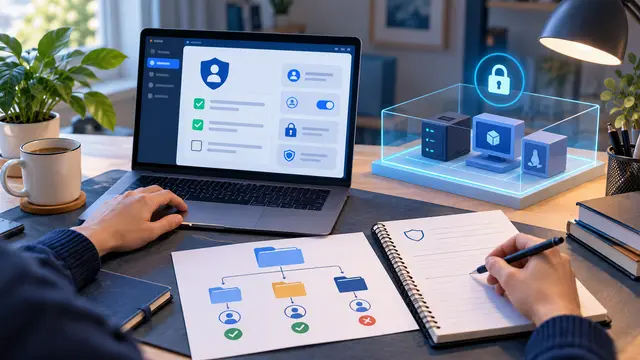
The first lab exercise is an account-safety review using a test account. Create a fictional account that contains no real personal information. Write down the account name, the sign-in method, the recovery options, and who would be able to reset it. Then review the account as if you were preparing it for a small team.
Practice these steps:
- Give the test account a long, unique password that you do not use anywhere else.
- Turn on multi-factor authentication if the test environment supports it.
- Review recovery email addresses, phone numbers, backup codes, and active sessions.
- Write a short note explaining which recovery details should be protected and why.
- Sign out of old sessions and record what evidence confirms the change.
This exercise teaches the difference between authentication and account recovery. A person may have a strong password but a weak recovery path. The exercise also shows why backup codes should be treated like keys. Do not save real backup codes in the lab notes. Use fictional examples or redact the values.
The second exercise is a file-permission map. Create a folder with fictional documents such as a meeting agenda, an employee training plan, and a pretend customer export containing clearly fake names. Assign three roles: reader, editor, and owner. Decide which role should open, change, or share each file. Then write the result in a small table or checklist.
Ask yourself:
- Which files are safe for a broad group to read?
- Which files need a smaller editor group?
- Who should approve a permission change?
- What should happen when a person changes jobs or leaves the project?
- How would you notice that a file is shared too widely?
This is a gentle introduction to least privilege. The principle means people receive the access they need for their work, not unlimited access by default. In a real business, permissions may live in a cloud drive, a project platform, a code repository, or a customer system. The lab keeps the problem small so you can practice the decision before dealing with a complicated system.
The third exercise is an incident-report writing drill. Use a harmless scenario, such as a fictional employee receiving an unexpected password-reset message. Do not send a real phishing message. Instead, write the sample message in a note with an obvious label such as TRAINING EXAMPLE. Then ask a learner to record what they would do.
A useful incident note should answer five questions:
- What happened?
- When was it noticed?
- Which account, device, or file might be involved?
- What action was taken immediately?
- Who should receive the report next?
The learner should not investigate beyond the approved scenario. The practice is about clear escalation, not proving how far an attacker could go. A strong note avoids guesses and separates facts from concerns. “The message arrived at 9:10 and asked for a password reset” is more useful than “Someone hacked the account.”
You can make all three exercises more effective with a simple automation habit: keep a repeatable lab checklist. Store the checklist in a private course folder or a local document. Each time you repeat an exercise, record the date, the scenario, the safeguard tested, the result, and the next question. If you use a spreadsheet, add columns for owner, evidence, status, and review date. If you use a no-code tool in a permitted training environment, you could create a reminder when a lab review is due. The automation should support the learning process, not replace judgment.
Avoid automating sensitive actions while you are still learning. Do not create a workflow that changes live permissions, sends real account notices, or forwards security logs to an unapproved destination. A safe beginner workflow might only create a private reminder from your own practice checklist. Learning where automation should stop is part of cybersecurity maturity.
At the end of each lab session, write three sentences:
- I expected this safeguard to do...
- I observed...
- Next time I would verify...
That format is valuable because it exposes assumptions. Maybe you expected multi-factor authentication to end every active session, but the test environment behaved differently. Maybe you assumed a file was private because its folder name sounded private. Finding those gaps in a test environment is progress.
If you are building a portfolio, keep sanitized versions of your notes. A portfolio project can include the fictional scenario, the risk statement, the decision checklist, and a short reflection. Never include real credentials, personal information, private company screenshots, or security details from an employer. A clean, well-explained lab is enough to show that you can think carefully.
Business Takeaway
Cybersecurity confidence grows when a learner can practice a decision safely and explain the result in plain language. A beginner home lab does not need a dramatic attack simulation. It needs a narrow scope, fictional data, explicit permission, and a record of what changed.
This week, create one isolated test account or fictional account-review worksheet and complete the account-safety exercise. Record the recovery path, one safeguard you checked, and one question you still have. That small piece of evidence can become the first page of a practical cybersecurity learning portfolio.