What Happened
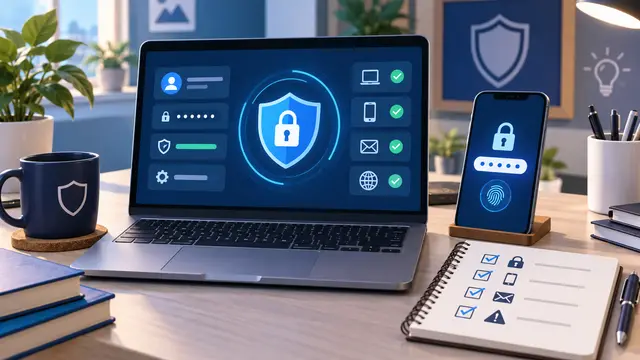
Many people know they should be more careful online, but they do not know which cybersecurity basics to learn first. This beginner guide focuses on account safety skills you can use this week: stronger passwords, multi-factor authentication, phishing checks, safer file handling, and simple recovery planning.
Cybersecurity can sound intimidating because the word often brings up images of advanced tools, hidden attacks, and technical teams speaking in acronyms. For a beginner, that creates a problem. If the first lesson feels too advanced, the learner may decide cybersecurity is only for specialists and skip the habits that would protect their own accounts, team tools, and customer information.
A better starting point is practical account safety. Before someone studies networks, malware analysis, compliance frameworks, or penetration testing, they can learn how everyday accounts are compromised and how to make those accounts harder to abuse. That kind of foundation is useful for busy professionals, small business owners, career switchers, office teams, freelancers, and anyone who works across email, cloud files, banking portals, customer systems, or social platforms.
The goal is not to become a security engineer in one afternoon. The goal is to understand the first layer of defense well enough to make better daily decisions. A beginner should be able to look at a login screen, an email request, a shared file, or a password reset message and slow down for the right reasons.
That is why a short, self-paced cybersecurity course should begin with plain-language skills, not fear. Learners need to see what a risky habit looks like, practice a safer replacement, and leave with a checklist they can actually follow at work and at home.
For example, a beginner can learn to spot the difference between a password that is merely complicated and a password that is easier to manage safely. They can learn why multi-factor authentication protects an account even when a password leaks. They can practice checking sender details before trusting a message. They can set up account recovery options before they are under pressure.
Those skills are small enough to learn quickly, but they change behavior right away.
Here are several account safety skills that belong near the beginning of any practical cybersecurity learning path:
- Creating long, unique passwords instead of reusing slight variations
- Using a password manager so security does not depend on memory
- Turning on multi-factor authentication for important accounts
- Checking links, attachments, and urgent requests before acting
- Recognizing common phishing patterns in plain language
- Reviewing account recovery emails, phone numbers, and backup codes
- Separating personal accounts from business accounts where possible
- Knowing what to do first if an account may be compromised
These are not abstract ideas. They show up in normal work. A bookkeeper receives an urgent payment change request. A real estate assistant gets a file share from a name that looks familiar. A small business owner logs into several vendor portals from the same laptop. A career switcher builds a portfolio and signs up for new tools. A manager invites an employee into a shared drive.
In each case, basic account safety can prevent confusion, downtime, or avoidable exposure.
Why It Matters for Businesses
Businesses often think of cybersecurity as an IT department concern, but many security problems begin with ordinary account decisions. A reused password, a rushed click, an unprotected email account, or an old recovery phone number can create more risk than a complicated technical weakness.
That matters because modern teams depend on connected tools. Email connects to calendars. Calendars connect to meeting links. File storage connects to customer records. Payment platforms connect to invoices. Course platforms, CRMs, accounting tools, project boards, and social media accounts all depend on identity. If an account is weak, every connected workflow becomes easier to disrupt.
Practical cybersecurity training helps businesses because it gives nontechnical people a shared language for everyday risk. Instead of saying, "Be careful," a manager can say, "Check the sender, compare the domain, do not reuse that password, and use the backup verification channel before changing payment details." That is much more useful.
For small businesses, beginner cybersecurity skills are especially important because one person may handle several roles. The owner may approve invoices, manage the website, access payroll, answer customer messages, and run marketing accounts. A single account problem can interrupt more than one part of the business.
For growing teams, the issue is consistency. One employee may already use a password manager while another keeps passwords in a notes app. One person may know how to spot a fake login page while another only looks at the sender name. One manager may set up multi-factor authentication while another postpones it because the setup seems annoying.
A practical course can close those gaps without turning training into a long, technical lecture.
The business value comes from simple outcomes:
- Fewer repeated passwords across work tools
- Faster setup of multi-factor authentication on important accounts
- Better judgment around suspicious emails and file shares
- Less panic when a password reset or account alert appears
- Cleaner onboarding for new employees and contractors
- Better protection for customer information, payment workflows, and admin portals
These outcomes are not dramatic, but they are meaningful. They reduce the chance that a normal workday gets derailed by a preventable account problem.
Beginner training also helps teams avoid a common mistake: buying more tools before people understand the basics. Security software can be valuable, but it cannot replace a person noticing that an email address is slightly wrong or that a login request arrived at a strange time. Tools work best when people know what they are looking at.
That is where self-paced learning fits well. A busy professional does not always need a full certification path to improve. They may need a short course that explains the risk, shows the safer habit, gives them a few examples, and lets them practice at their own pace.
A practical cybersecurity fundamentals course should not make beginners feel embarrassed for what they do not know. It should make the first steps feel manageable. Many adults learned passwords, email, and cloud tools through daily use, not formal instruction. They may be capable and careful in their work, but still missing a few security habits because no one explained them clearly.
When training respects that reality, people are more likely to use what they learn.
Account safety is also a career confidence skill. Someone trying to move into tech, operations, administration, customer support, or a small business role benefits from being able to say, "I understand password managers, multi-factor authentication, phishing checks, and basic account recovery planning." Those are not advanced claims. They are practical signals that the learner can handle modern tools responsibly.
For businesses, that matters because tech confidence spreads. When one employee learns how to secure their own accounts, they often become better at helping customers, coworkers, and vendors use systems safely too.
The Practical Automation Opportunity
The word automation may sound separate from cybersecurity, but the two meet in everyday account routines. Once a beginner understands the basics, they can use simple reminders, checklists, and tool settings to make safer behavior easier to repeat.
This is the practical opportunity: do not rely on memory alone. Build small repeatable systems around account safety.
A beginner does not need to code a security platform to benefit from automation thinking. They can start with lightweight routines such as recurring calendar checks, password manager audits, multi-factor setup reviews, and saved response steps for suspicious messages. These routines turn learning into practice.
A short self-paced cybersecurity lesson might include a practice project like this:
- Pick three important accounts: email, banking, and one work tool.
- Confirm each account has a unique password.
- Turn on multi-factor authentication where available.
- Save recovery codes in a secure place.
- Check whether the recovery email and phone number are current.
- Write down the first three steps to take if the account is compromised.
That project is small, but it gives the learner a real result. They do not just read about account safety. They improve three accounts before the lesson is over.
For a workplace learner, the project can become slightly more structured:
- Create a starter account safety checklist for new team members
- Identify which business accounts need multi-factor authentication first
- Make a monthly reminder to review admin access
- Write a simple rule for verifying payment or password reset requests
- Practice reporting a suspicious email without clicking anything inside it
This is where practical course design matters. A beginner should not finish a lesson with only definitions. They should finish with a safer account, a clearer checklist, and more confidence in the next decision.
No-code automation tools can also support the habit once the learner is ready. For example, a team might use a form to collect software access requests, a shared checklist to track setup steps, or a task reminder when a contractor account needs review. A small business owner might create a recurring task to review website admin accounts once a month. A manager might keep a simple onboarding checklist that includes password manager setup and multi-factor authentication.
The automation does not replace judgment. It helps the safer choice happen on schedule.
A beginner-friendly course can connect these ideas without overwhelming the learner. The path might look like this:
- First, understand why accounts are common targets.
- Next, learn what makes a password safer and easier to manage.
- Then, set up multi-factor authentication on a real account.
- After that, practice spotting suspicious messages.
- Finally, build a small checklist or reminder system so the habits continue.
That sequence works because each step builds on the last. The learner is not asked to memorize a glossary before doing anything useful. They learn a concept, apply it, and then make it repeatable.
This approach is especially helpful for adults who have limited study time. Someone may only have 30 minutes after work or between client calls. A focused lesson on account safety can still deliver progress. The learner can complete one account review, fix one weak habit, and understand one warning sign better than before.
It also helps reduce the fear that cybersecurity is all or nothing. A beginner may think, "If I cannot understand every technical detail, why start?" A practical course answers that with a better idea: start with the accounts you already use, then improve one habit at a time.
That is the kind of learning that sticks.
Business Takeaway
Cybersecurity basics become more useful when they are taught as practical habits instead of technical trivia. Beginners do not need to start with advanced security tools. They need to understand how everyday account risks happen and how to reduce those risks with repeatable actions.
For businesses, that means account safety training should be part of normal digital skill development. It supports customer trust, reduces avoidable disruption, and gives employees a clearer way to handle suspicious requests. It also helps people feel less helpless when they see a security alert, password reset message, or unfamiliar login prompt.
For learners, cybersecurity fundamentals can be a strong first step into the broader tech world. The same habits that protect an email account also build awareness for future learning in automation, coding, AI tools, website management, and business systems. Once someone understands identity, access, verification, and recovery, many other tech topics become easier to approach.
The best starting point is simple: choose one important account this week, give it a unique password, turn on multi-factor authentication, and write down where you would go first if that account ever needed recovery.