What Happened
Many business teams have reached the point where basic automation is no longer the hard part. Forms can trigger tasks, systems can send alerts, and dashboards can refresh without manual effort. The harder question is whether the automation helps people make better operating decisions at the exact moment those decisions matter. Post-sale implementation risk often builds quietly after the contract is signed, when ownership moves from sales to delivery, success, operations, or support. is a good example because the work often sits between systems, teams, and competing priorities. A person can see the problem after it becomes visible, but the business needs a repeatable way to notice the weak signal earlier.
AI changes the shape of this workflow because it can read messy business context, compare it against structured data, and prepare a recommendation that a person can review. That does not mean the system should make every decision by itself. The useful pattern is a controlled decision desk: the automation gathers evidence, classifies the request, explains the risk, and routes the next step to the right owner. The result is not a flashy replacement for judgment. It is a more reliable operating rhythm for work that used to depend on memory, inbox watching, and heroic follow-up.
The most practical businesses are applying AI where work already has a cost of delay. They are not waiting for a full enterprise transformation program. They are choosing a narrow process where delays, bad handoffs, or incomplete records create measurable friction. Then they connect the source systems, define the evidence needed for a confident decision, and build an escalation path for the cases that need human review. That is the difference between AI as a novelty and AI as an operating capability.
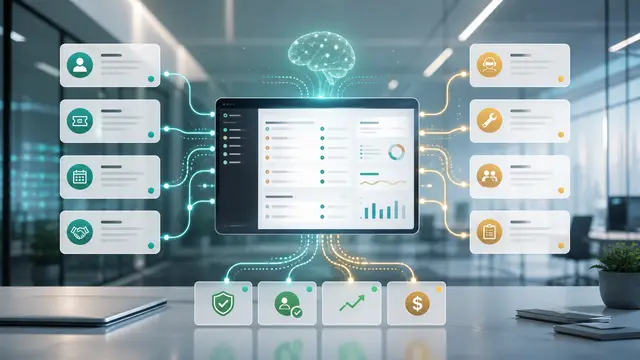
In this workflow, the most important raw material is not a giant data lake. It is a clear map of the signals that employees already check manually. Typical signals include missed milestones, delayed customer responses, unresolved dependencies, unclear ownership, support tickets, training completion, scope changes, kickoff notes, and stakeholder engagement. When those signals live in separate tools, people waste time reconciling them, or worse, they make decisions from whichever system they opened first. A good automation pulls those signals into one review surface and makes the exception visible while there is still time to act.
Why It Matters for Businesses
The business impact comes from reducing avoidable uncertainty. Teams usually know what good work looks like, but they do not always have enough timely context to do it consistently. A project can appear green in a status meeting while task comments show delayed approvals, missing access, and a customer sponsor who has stopped responding. That kind of failure rarely comes from a lack of effort. It comes from a workflow that asks busy people to notice too many details across too many systems.
AI-assisted automation gives the organization a practical way to standardize the review without turning every decision into bureaucracy. The system can summarize the relevant facts, flag missing information, compare the request with policy, and show why the case is normal, risky, or incomplete. Managers still keep control over judgment calls, but they spend their time on the exceptions instead of rebuilding the same fact pattern over and over.
The value is especially clear for small and midsize organizations because they often run important processes with lean teams. One person may own a queue that touches sales, finance, operations, and customer service. Without automation, the queue becomes a list of open loops. With the right AI layer, each item can arrive with context, confidence, and a recommended next action.
A practical workflow should improve four operating measures:
- Cycle time: how long it takes to move from request to decision.
- Rework: how often a request comes back because facts were missing.
- Risk visibility: how quickly a manager sees the cases that need attention.
- Decision quality: how consistently similar cases receive similar treatment.
Those measures matter more than vague productivity claims. If an automation saves minutes but creates confusion, it will not last. If it reduces delays, improves visibility, and gives leaders a cleaner way to manage exceptions, people will use it because it helps them do their jobs. ROI can be measured through fewer stalled projects, faster time to value, improved renewal confidence, lower escalation load, and better handoff quality from sales to delivery.
This also matters for customer experience. Customers rarely care which internal system caused a delay. They notice whether the answer is clear, whether commitments are reliable, and whether the company follows through. AI-supported workflows help teams respond with more confidence because the answer is based on the same evidence every time, not on whoever happened to pick up the request.
The Practical Automation Opportunity
The best starting point is a narrow workflow with a defined trigger, a small set of evidence, and a clear decision path. For a post-sale implementation risk workflow, the trigger might be a new request, a changed status, a stale task, or a threshold being approached. The automation should not wait until the issue is already late. It should watch for the conditions that make late work likely.
A strong design usually has six parts:
- Intake: capture the request or event from the system where the work begins.
- Enrichment: pull related records from CRM, finance, operations, service, or website tools.
- Classification: use AI to identify the type of request, urgency, missing facts, and likely risk.
- Recommendation: prepare a next step, owner, due date, and explanation.
- Review: route exceptions to a person with the authority to decide.
- Measurement: track cycle time, outcomes, overrides, and recurring causes.
The AI prompt or model instruction should be treated like an operating procedure. It should define what evidence matters, what the system is allowed to infer, when it must say that information is missing, and when it must escalate. The instruction should distinguish between normal project variation and genuine stall risk, and it should require a human review before sending any customer-facing escalation. This keeps the workflow useful without creating blind trust in an answer that may be incomplete.
Teams should also separate the recommendation from the action. In early versions, the automation can draft the decision, prepare the message, update the task, or suggest the routing. A person can approve the action until the organization has enough performance history. Over time, low-risk cases can move to automatic handling, while exceptions continue to require review.
The data model does not need to be complicated. A simple review record should capture the source item, the key facts used, the recommendation, the confidence level, the owner, the decision, the reason for any override, and the outcome. That record becomes the feedback loop. It shows whether the automation is improving the process or simply moving work around.
Implementation can start with tools the business already uses. A website form, CRM record, shared inbox, ticket, accounting system export, or spreadsheet can trigger the workflow. The first version can send a structured summary to a team channel or task queue. The second version can write updates back to the source system. The third version can add reporting that shows trend lines and bottlenecks. This staged approach keeps the work practical and avoids waiting for perfect integration.
Common mistakes are easy to avoid. Do not automate a vague process before defining the decision. Do not let the AI invent facts that should come from a system of record. Do not route every item to the same manager. Do not measure success only by activity volume. The goal is better decisions with less delay, not more notifications.
Business Takeaway
The takeaway is simple: implementation health is easier to protect when AI watches the operational signals that appear before a formal project status turns red. AI and automation create the most value when they make hidden operating risk visible early enough for a team to respond. Businesses do not need to replace their systems or redesign every process at once. They need to choose a high-friction workflow, define the evidence for a good decision, and build a controlled path from signal to action.
For leaders, the practical question is not whether AI can help in theory. The question is which recurring decision costs the business time, margin, trust, or capacity when it is handled late. Start there. Build the smallest workflow that gives people better context, fewer open loops, and a measurable improvement in cycle time. That is where AI automation becomes operationally useful.
A final useful practice is to review the workflow every month with the people who actually use it. Look at which recommendations were accepted, which were overridden, which signals arrived too late, and which cases still required manual chasing. That review turns the automation into a learning system. It also prevents quiet drift, where the business changes but the workflow continues to follow old assumptions. The best automation programs are maintained like operating assets, not launched once and forgotten.
A final useful practice is to review the workflow every month with the people who actually use it. Look at which recommendations were accepted, which were overridden, which signals arrived too late, and which cases still required manual chasing. That review turns the automation into a learning system. It also prevents quiet drift, where the business changes but the workflow continues to follow old assumptions. The best automation programs are maintained like operating assets, not launched once and forgotten.