What Happened
A CRM rarely becomes unreliable in one dramatic failure. It drifts. A lead arrives without a buying role, a sales representative adds a company under a familiar variation, a service conversation changes an account detail that never reaches the opportunity record, and a former employee remains an owner in a routing rule. Each event looks small. Together they make forecasts harder to trust, campaigns less relevant, handoffs slower, and customer conversations less coherent.
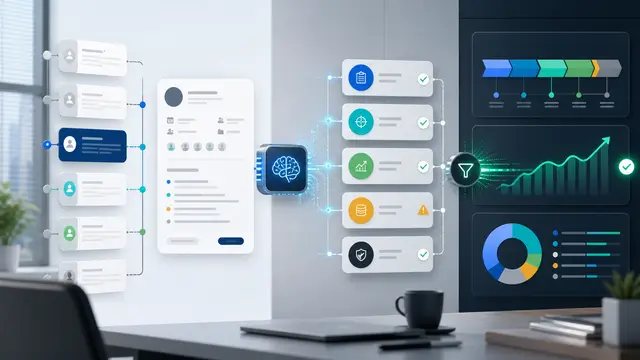
AI changes the practical response because it can read the context around a record rather than merely compare fields. It can distinguish an accidental duplicate from two related business units, recognize that an incomplete address is a fulfillment risk, and propose a normalized industry or role based on the surrounding conversation. Automation then turns that judgment into a controlled sequence: flag, enrich, assign, review, resolve, and learn. The objective is not a prettier database. It is a dependable operating layer for revenue work.
Why It Matters for Businesses
For a business leader, poor CRM quality becomes expensive in ordinary moments. A representative spends time researching an account that has already been qualified. Marketing sends two versions of a message to the same buyer. Finance sees an opportunity with a different legal entity than the customer master. A renewal manager misses a signal because the support case and the account are disconnected. These are workflow costs, not just data costs.
The best program treats each defect as a business event with an owner and a consequence. Missing consent belongs in a compliance path. A suspected duplicate belongs in a merge-review path. A changed domain belongs in an account-research path. That distinction keeps the team from asking one administrator to solve every data problem in a monthly cleanup marathon.
The Practical Automation Opportunity
Start with five high-value checks: duplicate contact or account candidates, required-field gaps at stage changes, stale ownership, mismatches between connected systems, and unusual changes to high-value records. Let the automation attach evidence, such as matching domains, recent activity, source-system values, and suggested next steps. Low-risk corrections can be applied automatically under explicit rules. Ambiguous changes should become a short review task for the record owner or data steward.
The system should also capture why a correction was made. That explanation builds trust and creates an audit trail. Over time, the organization can trace recurring defects back to their source: a web form, an import template, a partner integration, or a process that invites people to work around the CRM.
Consider a regional services company that receives leads from events, its website, referrals, and a partner portal. Before automation, sales operations reviewed a spreadsheet every Friday and sent manual questions to representatives. An AI-assisted flow can compare incoming details with existing accounts, group likely matches, verify company domains, and route only uncertain cases to a queue. A lead with a clear match is linked to the right account in minutes. A lead with two plausible matches is held with an explanation instead of being silently attached to the wrong customer.
That design improves speed without turning AI into an unaccountable editor. The human decides only where judgment genuinely matters, while the workflow documents every action.
Define a data-quality policy before enabling automated edits. Specify which fields are authoritative, which connected system wins when values disagree, which confidence threshold permits a change, and which fields always require approval. Protect consent, financial, legal, and strategic-account information with stricter rules. Give reviewers an easy way to reject a suggestion and record the reason.
Measure both accuracy and operations. Track duplicate creation rate, percent of required fields complete at handoff, median age of unresolved exceptions, time spent by sellers on data repair, and the conversion or retention impact of cleaned records. A useful dashboard does not celebrate the number of records changed. It shows whether better records reduced friction in a real customer process.
Practical implementation is easiest when the team begins with a workflow boundary that can be observed. Name the trigger, the records involved, the person accountable for an exception, the deadline, and the final system of record. Draw the current handoff before choosing a model or a platform. That exercise usually reveals missing decisions, duplicate entry, and unclear ownership that no technology can solve by itself. A useful pilot has a limited scope, a baseline measure, and an agreed stop condition if accuracy or control quality falls below expectation.
Design the experience for the people receiving the work. A good automation message states what happened, why it was routed, what evidence is available, what decision is requested, and when it is due. It should link to the record rather than force people to search. It should avoid jargon and overconfident language. When the workflow makes human judgment easier, adoption grows because staff see it as operational support rather than an extra monitoring layer.
Integration quality matters as much as model quality. Use stable identifiers, define what happens when a connected system is unavailable, and prevent loops that create duplicate cases or notifications. Test ordinary scenarios as well as edge cases: incomplete input, conflicting records, a reassigned owner, an overdue task, a withdrawn request, and a reviewer who rejects the AI suggestion. Capture the results of those tests in a simple operating guide so the process survives personnel changes.
Roll out in stages. First run the workflow in observation mode and compare its recommendations with the team’s actual choices. Next allow it to create reviewable drafts and routing tasks. Only after evidence shows reliable performance should low-risk actions become automatic. Review exceptions weekly during the first month. The feedback is not a nuisance; it is the data needed to improve prompts, rules, data definitions, and training.
Create an adoption plan alongside the technical plan. Identify the operational owner, the process owner, the data owner, and the executive who can remove cross-functional blockers. Those roles may sit with the same person in a smaller organization, but the responsibilities should still be explicit. The operational owner monitors queues and daily failures. The process owner decides whether the workflow is achieving its intended customer or business outcome. The data owner resolves questions about definitions and authority. The executive sponsor helps when one team’s local optimization creates work for another team.
Document the decisions that define a good outcome. For example, specify the maximum response time, the level of evidence required before a case changes state, the circumstances that require escalation, and the person permitted to override a rule. This definition gives reviewers a way to identify failure early. It also prevents a pilot from being judged solely by anecdotal enthusiasm. If a workflow reduces manual effort but increases silent mistakes, the evidence should make that tradeoff visible.
Training should use realistic scenarios instead of a feature tour. Show a recipient how to understand the automated summary, where to find source context, when to accept a recommendation, and how to report an error. Explain what the automation does not do. People are more likely to use an assistant responsibly when they know its boundary and understand that a confident-looking suggestion is still a suggestion. A short feedback form attached to each early exception can uncover patterns that a volume metric cannot show.
Plan for the neglected cases. A business process has weekends, staff absences, duplicate submissions, system maintenance, and requests that do not fit a category. Decide how the queue behaves when no owner is available and how an issue moves to a human triage team. Establish a regular review for rules that are no longer valid. Automation is not a one-time installation; it is a managed service that needs governance, ownership, and periodic redesign as the business changes.
Use a simple scorecard at the end of each pilot cycle. Include the workflow volume, accuracy sample, time-to-action, exception age, user feedback, control findings, and outcome metric tied to the original problem. Review it with the people doing the work, not only the project team. Their experience often reveals a constraint that transaction data misses, such as an alert arriving at the wrong time or a case requiring context from a system the integration does not reach. The next iteration should address the highest-impact constraint before expanding scope.
Communication is part of control design. Tell affected teams what will trigger the workflow, what information it can use, how recommendations are generated, and where they can ask for help. Publish a short escalation path for unexpected outcomes. When a rule is changed, record the reason, the date, the approver, and the expected effect. That change record helps the organization distinguish a process improvement from an unexplained shift in results. It also makes later reviews faster because the team can connect performance changes to deliberate operational decisions.
Finally, calculate value in business terms. Estimate time removed from rekeying, searching, chasing, and status meetings. Compare response or resolution times before and after the change. Watch for rework, errors, customer complaints, control failures, or work shifted to another team. A credible ROI story includes those safeguards. It explains not only what became faster, but also what became easier to govern and more dependable for customers and employees.
Business Takeaway
CRM automation is most valuable when it protects the moments where customer context is needed. Build a small, evidence-rich exception flow around the records that influence routing, outreach, forecasting, and service. Then expand only after the team trusts the controls. The result is a CRM that helps people act with confidence instead of a system they repair after the fact.