What Happened
Phishing is not only a problem for security specialists. It is a practical reading and decision-making problem that can affect anyone who opens email, chat, shared documents, or text messages at work. A message can look polished, mention a real project, and still be designed to make you act before you think.
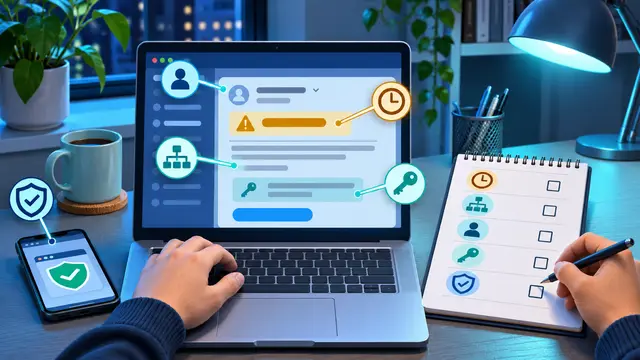
This beginner guide teaches five clues you can review before clicking a link, opening an attachment, sharing information, or approving a request. You will learn how to slow down a suspicious message, compare what it asks for with what you expected, inspect the sender and destination, verify unusual requests through a separate channel, and record what you found. The goal is not to memorize every scam. The goal is to build a small repeatable habit that protects your account and gives your team a clearer next step.
Phishing practice is a useful first cybersecurity skill because it combines awareness with action. You do not need a home lab, a command line, or advanced networking knowledge to begin. You can practice with sample messages, a notes app, and a simple checklist. That makes it a strong fit for a short, self-paced course or a focused study session after work.
The first clue: the message creates pressure
The most useful first question is not, “Does this look professional?” Ask, “Why does this message want me to hurry?” Phishing messages often create a countdown, a threat, or a reward. A sender may say that an account will be suspended today, a payment will be delayed unless you confirm details, or a manager needs an immediate reply before a meeting. Pressure reduces the time available for careful checking.
Urgency does not prove that a message is malicious. Real work can be time-sensitive. A payroll deadline, customer escalation, or access request may deserve a quick response. The clue is the combination of urgency and an action that deserves verification. If the message asks you to sign in, transfer money, reveal a code, download a file, or change a bank detail, pause before following its instructions.
Try rewriting the request in neutral language. “My account will be closed if I do not click” becomes “The sender wants me to click a link to sign in.” “The director needs this gift card purchase right now” becomes “Someone is asking me to spend money outside the normal process.” Removing the dramatic wording makes the actual request easier to evaluate.
The second clue: the request does not fit the normal workflow
Every workplace has ordinary paths for ordinary actions. Employees use a known expense system, a familiar customer portal, an established purchasing process, or a specific help desk procedure. A suspicious message often tries to bypass that path. It may ask you to send information by reply, use a personal address, or open a new form that no one has mentioned before.
Compare the message with your memory of how the task normally works. If a supplier usually sends invoices through a portal but suddenly sends a password-protected attachment, that difference matters. If a manager normally approves spending in a system but sends a chat asking for a wire transfer, that difference matters. If a software vendor usually gives notice through an administrator but an individual employee receives an unexpected sign-in warning, that difference matters.
Use these questions when a request feels unfamiliar:
- Is this the normal tool for this type of request?
- Is the sender asking for information they should already have?
- Does the request skip a review, approval, or second-person check?
- Would I handle this differently if the message had arrived by phone?
- Can I find the same notice by opening the known application directly?
This is a transferable cybersecurity habit. You are learning to recognize a process mismatch, not merely a suspicious logo or a spelling mistake. Attackers can copy visual branding. It is harder for them to match the exact sequence, permissions, and approval habits of your team.
The third clue: the sender and destination are slightly wrong
Look closely at the actual sender address, not only the display name. A message can say “IT Support” while coming from a lookalike address. The difference may be a changed word, an extra character, an unusual domain ending, or a free email service where a business account would normally be used. On a phone, expand the sender details before deciding what to do.
Links deserve the same attention. A link can display familiar words while sending you somewhere else. If you hover over it on a computer, the destination may appear in the browser status area. On a mobile device, press and hold only when you know the device will show a preview without opening the link. Never enter a password into a page simply because the page looks like a service you use.
You can also avoid the link. Open the service by typing a known address, using a saved bookmark you trust, or opening the official application. Then check for the alert inside the account. This takes a little longer, but it separates the message from the sign-in path. A real notification is more likely to be visible through the service itself. If the alert is not there, that absence is useful evidence.
Do not treat grammar as the main test. Some phishing messages have awkward language, but many are edited carefully or generated from professional templates. Grammar can be one clue. Sender identity, link destination, expected workflow, and the requested action are stronger clues.
The fourth clue: the message asks for secrets or unusual access
Your password, multifactor authentication code, recovery phrase, and private customer information deserve special attention. Legitimate support teams should not need you to send a current sign-in code by email or chat. A message that asks you to read a code aloud, forward a security alert, upload a confidential file, or grant an unfamiliar application access should be treated as a high-risk request.
The request may be disguised as a safety action. For example, a message may claim that you need to confirm your identity by entering a code into a new page. The code itself can be real, but the person using it may be trying to complete a sign-in somewhere else. The important lesson is simple: a code proves access, so do not share it with someone who contacted you unexpectedly.
Business information can be sensitive even when it is not a password. Customer lists, pricing files, employee records, contract drafts, and internal screenshots can help an attacker imitate your team or target a later conversation. Before uploading a document, ask whether the request is expected, whether the recipient is authorized, and whether the approved tool is being used.
The fifth clue: you cannot verify the request independently
When a message asks for a consequential action, verify it through a separate channel. Do not use the phone number, reply address, or link provided in the suspicious message. Use a known contact record, a previously used phone number, the official company directory, or the established internal system.
Verification does not need to be dramatic. You can write, “I received a request to change the payment details. I am checking through our normal process before doing anything.” A real coworker or vendor may appreciate the care. A scammer will often add pressure, discourage questions, or insist that the original message is the only way to proceed.
Create a short verification script you can use when you are busy:
- State what request you received without repeating its urgency.
- Contact the person or organization through a known channel.
- Ask whether they made the request and what approved process to use.
- Record the answer and the next action.
This habit is especially important for payment changes, password resets, employee access, customer data, and urgent executive requests. It also helps new employees because they do not have to invent a response while feeling pressured.
A ten-minute practice exercise
You can learn phishing checks through a small project instead of reading definitions only. Create three sample messages. One should be a normal work notification, one should be a poorly written scam, and one should be a polished but suspicious request. Do not use real personal information, real credentials, or active links.
For each sample, write down:
- The sender display name and actual address.
- The requested action.
- The pressure or consequence described.
- The normal workflow you would expect instead.
- The information or access the sender wants.
- The independent channel you would use to verify it.
- Your decision: open, verify, report, or delete.
Then compare your answers with another learner or a trusted teammate. The discussion is more valuable than simply labeling a message as safe or unsafe. Explain which clue changed your mind. If you first trusted the message because of its logo, note that. If you became cautious because it skipped a normal approval, note that. The point is to make your reasoning visible and repeatable.
You can turn this exercise into a simple course project. Build a one-page checklist in a document, create a small set of fictional examples, and write a short explanation of the correct response for each one. This demonstrates practical cybersecurity understanding without requiring advanced tools. It also produces something a small business could adapt for onboarding.
What to do if you already clicked
A mistake is a signal to start the response process, not a reason to hide the incident. If you clicked a suspicious link but did not enter information, close the page and report it according to your organization’s procedure. If you entered a password, change it through the known service, and make sure the new password is not reused elsewhere. If you shared a multifactor code, contact the responsible support or security team immediately because the attacker may be attempting access now.
Do not continue interacting with the sender to investigate. Do not download a “security tool” they offer as a fix. Save useful evidence, such as the message, sender details, time, and visible destination, then use the approved reporting path. A clear report helps others recognize the same attempt.
The exact response depends on the account, device, and organization. A beginner course should teach this boundary clearly: learn the recognition and first-response habits, then follow the real policy for your workplace. Cybersecurity is not about pretending one checklist solves every situation. It is about knowing when to pause and escalate.
Why It Matters for Businesses
Phishing affects businesses because one rushed click can create work for many people. A compromised mailbox can be used to send believable requests to customers, suppliers, or coworkers. A stolen password can expose documents, calendars, and conversations. A fake invoice or payment change can create a financial loss before anyone notices the pattern.
The answer is not to make every employee a security engineer. The practical goal is to give people a shared baseline. When employees know the same five clues, they can recognize a suspicious message earlier and ask for help in a consistent way. That reduces the chance that an individual feels responsible for making a high-risk decision alone.
Useful team habits include:
- A clear button or email address for reporting suspicious messages.
- A written rule that unusual payment or account requests require separate verification.
- Multifactor authentication and password-manager use for important accounts.
- Short onboarding practice with fictional messages, not fear-based lectures.
- A simple record of repeated phishing themes so training can match real attempts.
Small businesses may think security training requires expensive software or a dedicated department. Many first improvements are behavioral. A team can agree that no one sends sign-in codes by chat, that payment details are confirmed through a known contact, and that unexpected attachments are reported before opening. Those agreements are easy to explain and easy to reinforce.
Training also supports course confidence. A working adult who learns to identify a process mismatch, inspect a sender, and verify a request has gained a real skill. That learner can apply the same thinking to customer portals, shared drives, vendor systems, and future tools. The result is not just awareness. It is a more careful way to interact with technology.
Managers should reward good pauses. If an employee asks for verification before changing a bank account or uploading a customer file, the response should be appreciation, not impatience. A culture that punishes questions teaches people to click quietly. A culture that welcomes reasonable checks makes safe behavior part of normal work.
For leaders, the best measure is not how many employees complete a slide deck. Look for practical signals: Are people reporting suspicious messages? Do they know where to report them? Can they explain how they verify a request? Are high-risk actions protected by a second-person review? These questions show whether learning has moved into daily behavior.
The Practical Automation Opportunity
Phishing education can be connected to simple, responsible workflows. Automation should support attention and routing, not make the final trust decision for a person. A beginner learning no-code tools can map a small process that receives a reported message, records the basic details, alerts the right person, and sends the reporter a confirmation.
For example, a practice workflow could use a form with fields for sender, subject, requested action, and reason for concern. A no-code automation tool could then add the report to a review table, notify a security contact, and group repeated sender domains for later analysis. The workflow should avoid storing unnecessary message contents or sensitive credentials. The lesson is as much about data safety as it is about connecting apps.
AI can help with low-risk preparation. It might summarize a reported message, list the claims the sender makes, or compare the request with a written process. It should not be treated as proof that a link is safe. A useful prompt could ask for a neutral breakdown of the request, the information being sought, the pressure language, and questions a human should verify. The human still decides what to open, report, or escalate.
Here is a small learning path for building the skill:
- Learn the five clues and practice identifying them in fictional messages.
- Map your normal workflow for passwords, payments, documents, and access requests.
- Create a simple reporting form with only the fields a reviewer needs.
- Connect the form to a controlled review list and notification step.
- Test the workflow with safe examples, including incomplete and duplicate reports.
- Review what data the workflow stores and remove anything unnecessary.
The testing step matters. A reporting workflow can create its own problems if every message is copied into a broad channel, if confidential attachments are forwarded automatically, or if an alert goes to a person who is unavailable. Test with fictional examples. Check who can view the record. Decide what happens when a report is urgent, incomplete, duplicated, or clearly harmless.
This is where a short course can turn a vague security concern into a project. Learners can practice form design, conditional routing, notifications, basic data handling, and human approval. They do not need to build a complex security platform. They need to understand the sequence: capture the concern, preserve useful context, route it carefully, and keep a person responsible for the decision.
A beginner can also automate a personal study routine. Create a weekly reminder to review one fictional phishing example, write down the five clues, and update the checklist with one lesson. The reminder is small, but repeated practice makes recognition faster. If you are learning Zapier or Make, this is a safe project because it uses invented data and produces a visible result without touching live credentials.
Keep the boundaries clear. Do not connect an experimental workflow to real banking, employee, or customer data while learning. Do not ask an AI tool to process confidential messages unless your organization has approved that use. Do not auto-delete reports before a human can review them. Good automation makes the safe path easier while preserving control over sensitive decisions.
Business Takeaway
Phishing defense begins with a small pause. Check the pressure, compare the request with the normal workflow, inspect the sender and destination, protect secrets, and verify unusual actions through a known channel. Those five checks are simple enough for a beginner to learn and specific enough to use during a busy workday.
If you want to build the skill this week, create three fictional messages and complete the seven-field review exercise for each one. Then turn your best questions into a one-page checklist or a simple reporting form. That small project will give you a safer habit, a practical cybersecurity artifact, and a clear starting point for a self-paced course in security fundamentals or no-code workflow automation.