What Happened
Many beginners think a coding portfolio has to contain a large app, a polished startup idea, or a long list of technologies. That belief can make learning feel stalled before the first project begins. A better starting point is to build three small projects that prove useful skills, explain the decisions behind them, and show steady progress from idea to finished result. This guide explains which project types to choose, what each one teaches, and how to present the work so a hiring manager, client, or teammate can understand it.
A beginner portfolio is not a museum of unfinished experiments. It is a short collection of evidence. Each project should answer a practical question: Can you turn a need into a plan, create a working result, test it, and describe what you learned? You do not need to know every framework to demonstrate those habits.
The three projects in this article form a useful progression. The first is a small interface that helps you practice HTML and CSS. The second adds JavaScript so the page responds to a user. The third asks you to organize information, explain your choices, and make the work easier for someone else to review. You can build all three at a beginner pace, improve them later, and use them as a foundation for a self-paced coding course.
The goal is not to impress people with complexity. The goal is to make your progress visible.
Why It Matters for Businesses
Businesses rarely need a beginner to arrive knowing every tool in a technical stack. They need people who can learn a process, ask useful questions, make careful changes, and communicate what happened. A small portfolio can show those behaviors more clearly than a list of course names alone.
Consider a local business that needs a clearer contact page. A learner who can organize the page structure, make it readable on a phone, and explain what was tested is already practicing work that resembles a real request. The project may be small, but the thinking behind it transfers to larger work.
The same principle applies inside a team. A person who can build a simple tracker understands more than syntax. They begin to recognize how a user describes a task, how information should be labeled, and how a change in one part of a page can affect another part. Those are useful habits for marketing, operations, customer support, and project coordination as well as software development.
Three portfolio projects can help demonstrate these business-friendly skills:
- Turning an unclear request into a small, defined outcome.
- Choosing a reasonable first version instead of overbuilding.
- Testing the result from a user's point of view.
- Writing a short explanation that another person can follow.
- Revising the project after noticing a problem.
Small projects also make interviews and conversations easier. Instead of saying, "I am learning JavaScript," you can explain how you built a task tracker, what happened when a user submitted an empty item, and how you corrected that behavior. A specific story gives people something concrete to discuss.
This is especially helpful for career switchers and working adults. You may not have years of professional development experience, but you can still show how you approach a manageable challenge. A portfolio gives your learning a shape that a resume cannot provide by itself.
The projects should also be easy to finish. If each idea requires a database, user accounts, payments, and a mobile app, the work will probably become a collection of partial starts. A narrow project with a clear finish line gives you a better chance to practice, complete, and reflect.
The Practical Automation Opportunity
The first practical opportunity is to build a one-page resource site. Choose a realistic subject, such as a neighborhood service, a personal interest, or a simple event. The page should have a clear heading, a short explanation, a few useful details, and one next step for the visitor.
This project teaches you to separate content from decoration. Use HTML to describe what each part is. Use CSS to control spacing, color, type, and layout. Practice making the page readable on a narrow screen instead of designing only for the width of your laptop.
Keep the scope intentionally small. Your first version might include:
- A welcoming introduction that explains who the page is for.
- A short list of three services, features, or helpful resources.
- A simple contact or sign-up prompt without a complicated back end.
- A footer that shows you can finish the page structure.
When the page works, write down two decisions you made. Maybe you used a stacked layout on small screens because the original row felt cramped. Maybe you grouped related information under a heading because a reader could scan it faster. Those notes become part of the portfolio story.
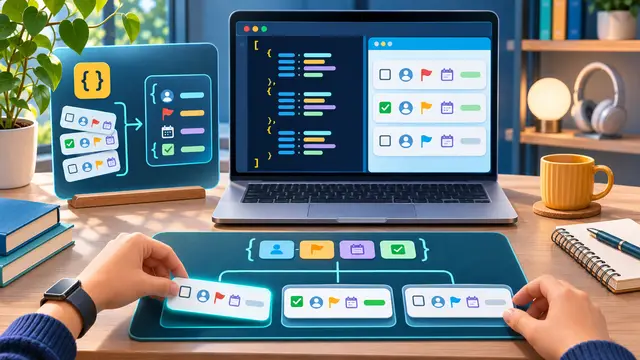
The second project is an interactive task tracker. It can be a short list of errands, study tasks, or work follow-ups. The important part is not the theme. The important part is the behavior. A user should be able to type an item, add it, mark it complete, and remove it.
This is a strong beginner JavaScript project because every action has a visible result. You practice finding elements on a page, listening for a click or form submission, updating the page, and handling a basic error. Start with a simple version and test each behavior before adding extra features.
Use a small test checklist:
- Add a normal task and confirm it appears once.
- Submit an empty field and confirm the page responds clearly.
- Mark a task complete and confirm the visual state changes.
- Remove a task and confirm it disappears without affecting others.
- Reload the page and note whether the current version saves anything.
That last step matters because it teaches you to distinguish a feature you have built from one you have not built yet. If the list resets after a reload, say so. A clear limitation is better than an unspoken gap.
The third project should show organization and explanation. Build a small project dashboard or personal learning page that presents the first two projects, what each one does, and what you plan to improve. You can include a short skills list, screenshots, and a plain-language project summary. Avoid turning the page into a collection of buzzwords.
For each project, explain four things:
- The problem or learner need you were trying to address.
- The tools and concepts you practiced.
- One obstacle you encountered and how you investigated it.
- One next improvement that you would make with more time.
This third project turns your portfolio into a learning record. It also gives you practice writing for a busy reader. A reviewer should be able to understand the purpose of a project in a few seconds, then choose whether to read the deeper explanation.
You can use AI as a learning assistant during these projects, but keep your role visible. Ask for a plain-language explanation of an error, request a few test cases, or compare two approaches after you have tried one yourself. Do not paste a generated solution into the portfolio without understanding it. If an assistant suggests code, inspect each part and change the example until you can explain what it does.
Automation can help with the repetitive parts of portfolio work. A simple no-code workflow could watch a form where you record practice sessions, add a dated row to a spreadsheet, and send a reminder to review the project notes. That does not replace coding practice. It gives you a small example of how tools can support consistency while you focus on the learning task.
There is also a useful habit in keeping a project changelog. After each work session, record the change, the reason, and the next test. The notes can be short. Over time, they show how you moved from a rough idea to a more reliable result. This kind of documentation is a practical skill in every technical environment.
Avoid the common trap of adding features because they sound impressive. A login system, live collaboration, and analytics dashboard may be interesting later, but they can distract from the first learning goal. If the project is supposed to teach event handling, make the event handling reliable before building a user account system.
When you finish, ask someone who is not following your code to try the project. Watch where they hesitate. Do not explain immediately. Their questions can reveal unclear labels, missing instructions, or a behavior that made sense only to you. Make one or two improvements based on what you observe, then record what changed.
Business Takeaway
A beginner coding portfolio becomes stronger when it shows a clear path: a useful page, an interactive feature, and a concise explanation of the work. The projects do not need to be large. They need to be finished enough to test, understandable enough to discuss, and focused enough to show what you practiced.
For a learner, this approach removes the pressure to invent a perfect app. You can begin with an HTML and CSS page, add a small JavaScript behavior, and then create a project summary that makes the learning visible. Along the way, you practice planning, debugging, accessibility-minded presentation, documentation, and honest communication about limitations.
For a business, those habits are valuable because technical work is connected to people, processes, and decisions. A portfolio that explains the problem, the first version, the test results, and the next improvement gives a clearer picture of how someone may work on a team.
Choose one small project this week, write its finish line in one sentence, and build the first version before adding another feature.