What Happened
Many new coders can follow a Python example once, then feel stuck when the same work appears in a second part of a program. They copy and edit the same lines, create small changes by accident, and lose track of what each piece is supposed to do. A beginner course on Python functions solves that problem by showing how to package a clear task, give it useful information, and receive a predictable result. After reading this guide, you will understand why functions matter, how to design one small function, and how to practice with a project you can finish in a short self-paced session.
Imagine a small team that wants to turn a list of customer names into friendly follow-up reminders. The first version might place the greeting, name cleanup, and reminder wording directly in a loop. That can work for three records. It becomes harder to maintain when the team also needs a version for overdue invoices, a version for appointments, or a version that handles a missing name. Functions let the learner separate the job into named pieces that can be tested and reused.
The important idea is not memorizing a special word. It is learning to recognize a repeated action. If a program calculates a total, checks a password rule, formats a message, or decides whether a task is late, that action may deserve a function. Naming the action gives the code a small signpost. Reading the program becomes less like decoding a wall of instructions and more like following a list of plain-language tasks.
In Python, a function starts with a definition. The definition gives the function a name and describes any inputs it expects. The indented lines perform the work. A return statement sends a result back to the part of the program that called the function. Learners can begin with a tiny mental model:
- Name the task clearly.
- List the information the task needs.
- Do one focused piece of work.
- Return the result when another part of the program needs it.
For example, a function called make_greeting might receive a name and return a sentence. A function called calculate_total might receive a price and a quantity and return the product. A function called is_overdue might receive a number of days and return either True or False. The examples are simple on purpose. A beginner needs to see the connection between a function's name, its inputs, its work, and its output before adding more advanced ideas.
Functions also make mistakes easier to locate. When a long script produces the wrong message, a learner may not know whether the problem came from the input data, the calculation, or the display. If the calculation has its own function, it can be tested with a few known values. If the message has a separate function, it can be checked without running the entire program. That habit leads toward a practical debugging skill: isolate one behavior, try a small case, and change one thing at a time.
Another useful distinction is between defining a function and calling a function. Defining it prepares the recipe. Calling it asks Python to perform the recipe now. Beginners sometimes write a careful function and then wonder why nothing appears on the screen. The missing step is often the call. A course exercise should make both actions visible, using a small input and a printed result so the learner can connect the code to what happens.
A function does not have to solve a large problem. In fact, the strongest first practice tasks are narrow. A function that converts minutes into hours, labels a task by priority, or builds a short status message can teach the same core ideas as a larger business script. The learner's goal is to build a reliable unit, not to impress anyone with a complicated application.
Why It Matters for Businesses
Businesses depend on repeated decisions and repeated communication. A staff member may check the same fields in an intake form, calculate the same service charge, or prepare the same update for a customer every afternoon. When a team member learns to express one repeated action as a small Python function, the lesson becomes practical workplace literacy. They can read automation examples more confidently, ask better questions about a script, and identify which part of a process should change.
This does not mean every employee needs to become a software engineer. A small business owner might use functions to understand a data-cleaning script. An operations coordinator might adjust a calculation that turns hours into a staffing estimate. A career switcher might use functions in a portfolio project to show that they can organize logic instead of copying instructions until a result appears. The skill creates a bridge between everyday work and more advanced coding courses.
Functions also encourage consistency. Suppose a team has three separate scripts that format customer names. One removes extra spaces, one changes capitalization, and one leaves names as entered. The results will disagree. A shared function gives the team one place to define the rule. If the rule changes, the person maintaining the script can update one focused section and test it before using the new version.
A learner who understands functions can start noticing useful boundaries in a workflow. For example:
- A form submission can be validated by one function.
- A clean record can be turned into a confirmation message by another function.
- A list of records can be summarized by a third function.
- A final report can call the smaller functions in a readable order.
That structure matters when a process grows. A script with one giant block may work during a tutorial and become stressful when a real file has missing values, extra rows, or a new requirement. Smaller functions do not remove all complexity, but they give the learner places to inspect it. The person can test the record validation without sending a message, or test the summary without touching the original file.
There is also a communication benefit. A clear function name can make a technical conversation easier for a mixed team. Saying “the code checks whether the request is complete” is easier when the program contains a function named has_required_fields. A manager, analyst, and developer can discuss the same step without pretending that the whole script is one mysterious object.
For businesses, this supports careful automation rather than blind automation. A learner who separates a calculation from a final action can put a review point between them. The program may prepare a draft invoice note, while a person checks the result before anything is sent. The code becomes a helper for a decision, not an excuse to skip judgment.
When a beginner takes a short, self-paced function lesson, the outcome should be concrete. The learner should finish with a script they can explain, a few tests that prove it behaves as expected, and enough vocabulary to recognize parameters, return values, and function calls in other examples. Those are useful milestones for an employee, a small business owner, or someone preparing for a first technical role.
The Practical Automation Opportunity
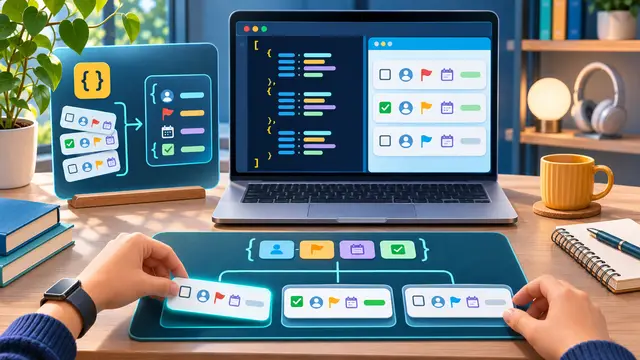
The best first project is a small text-based workflow that repeats one clear action. Try building a “weekly task summary” program for fictional data. The program can receive a task name, an owner, and a status, then return a clean sentence such as “Review product photos is assigned to Casey and is in progress.” No real customer information is needed. The point is to practice organizing a useful transformation.
Build the project in stages so each new concept has a visible purpose.
- Write one function that accepts a task name, owner name, and status.
- Return one sentence that combines the three values.
- Call the function with three different fictional tasks.
- Add a second function that turns blank names into the label “Unassigned.”
- Add a third function that counts how many tasks are complete.
- Print the results and compare them with your expected answers.
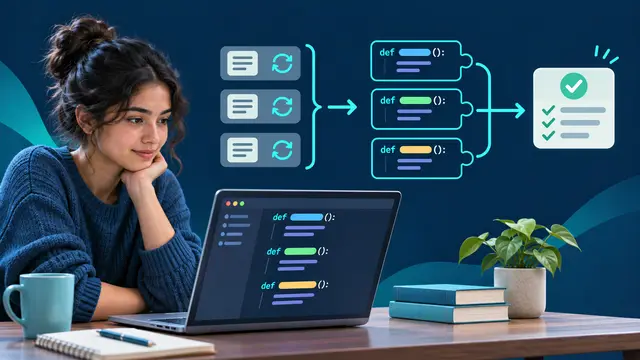
This exercise teaches more than string formatting. It introduces the idea that one function can use another function. The summary function can rely on the name-cleaning function without repeating the cleaning rule. That is the beginning of composing a workflow from smaller, understandable parts.
As you practice, pay attention to inputs and outputs. A function that expects a number should not silently receive a sentence. A function that returns a value should make that value easy to inspect. If you are unsure what a function should return, write down the input and the expected result in plain language before editing the code. This simple planning step prevents a common beginner mistake: adding lines until the program seems to work without knowing what each line is responsible for.
A practical review checklist can keep the project focused:
- Does the function name describe one action?
- Can you explain every input in one sentence?
- Does the function return a result or clearly perform a display action?
- What should happen when an input is empty or unexpected?
- Can you test the function without running the entire program?
- Would another beginner understand how to call it?
You can extend the project without making it too large. Add a function that labels tasks as complete, in progress, or needs attention. Add a function that counts tasks by status. Add a function that formats the result as a short daily update. Each addition should answer a practical question. If the new feature only adds complexity, leave it for a later lesson.
This is also where a no-code or AI workflow learner can connect coding ideas to tools they already use. A Zapier or Make scenario often has separate steps for receiving information, transforming it, checking a condition, and sending an output. A Python function is a compact way to practice the transformation step. The learner can understand what should happen to a value before trying to connect several applications. That makes later automation practice more deliberate.
AI can help a learner generate variations of the fictional task list, suggest edge cases, or explain an error message in plain language. It should not replace the learner's inspection of the function. Ask the assistant to explain what each parameter represents, propose a test case, or compare two small implementations. Then run the code yourself and check the output against your expectation. The valuable skill is knowing whether the answer is correct, not merely accepting a plausible-looking snippet.
Keep the practice environment safe. Use fictional names, sample prices, and invented task statuses. Do not paste private customer records, credentials, employee information, or internal documents into a learning exercise. A beginner can learn function design without exposing sensitive material. If a real workplace task inspires the project, replace every real value with a made-up example before you begin.
When the project works, save a short explanation beside it. State what the main function accepts, what it returns, and what happens for a blank input. This turns a code exercise into a portfolio artifact. It also gives you a way to discuss the project in an interview or a team conversation without relying on jargon.
Business Takeaway
Python functions teach a durable way to think about work: identify a repeated action, give it a clear name, define the information it needs, and test the result before combining it with other steps. That approach helps beginners move from copying examples to building small pieces they understand. It also prepares them for larger coding projects, data tasks, and workflow automation because the same questions appear in every environment: what goes in, what happens, what comes out, and what should a person review?
You do not need a large application to prove that you are learning. A short function that cleans a name, calculates a total, or formats a task update can be a meaningful first result when you can explain it and test it. Self-paced study works best when each lesson ends with something visible and usable, even if the project uses only fictional data and a few lines of code.
This week, write one Python function that turns three fictional task fields into a clean status sentence, test it with one complete record and one blank field, and keep the small project as your first reusable coding example.