What Happened
Businesses are moving from broad AI curiosity to practical workflow design, and customer implementation milestone management is a strong example of that shift. The opportunity is not to add another dashboard or another disconnected assistant. The opportunity is to build a repeatable operating path that helps implementation, customer success, service delivery, and operations teams see what is happening, understand what deserves attention, and act with enough context to improve the outcome.
The reason this workflow deserves attention is simple: status fields often stay green while customer prerequisites, internal handoffs, and delivery risks are quietly slipping. When that condition persists, good employees compensate with reminders, spreadsheet checks, private messages, and last-minute meetings. Those habits keep work moving for a while, but they do not scale well. They also hide the true cost of the problem because the business sees activity instead of seeing the friction underneath it.
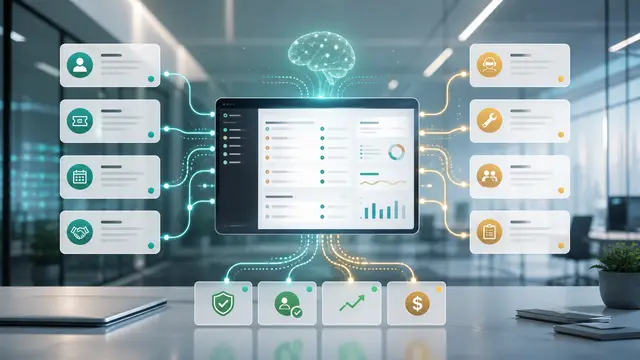
AI changes the pattern because it can read across unstructured and structured information. It can summarize notes, compare records, identify missing evidence, classify requests, and explain why a condition may matter. Automation then moves that interpretation into the flow of work by creating tasks, routing reviews, sending reminders, or updating a queue. Used together, AI and automation turn scattered signals into managed work.
The strongest programs begin with clear signal definitions. In this workflow, useful signals include kickoff notes without confirmed owners; technical access requested but not received; training scheduled before user lists are complete; sales promises missing from the delivery plan; customer sentiment that conflicts with project status. These are not abstract data points. They are clues that work may be late, risky, wasteful, unclear, or misaligned with a customer or business commitment. The company should define each signal in plain business language before asking technology to monitor it.
A practical system should also separate facts from recommendations. The fact may be that a record has aged, a note lacks an owner, an approval is missing, or a queue has changed. The recommendation may be to escalate, clarify, reassign, review, or pause. Keeping that separation helps teams trust the workflow because they can inspect the evidence before accepting the suggested action.
An implementation can be marked on track while the integration credential is still missing. AI can connect that missing prerequisite to the go-live date and prompt the project owner to escalate before the customer deadline is at risk.
Why It Matters for Businesses
This matters for businesses because operational drag usually appears as small misses before it becomes a visible failure. A customer waits an extra day. A manager repeats a status request. A team reworks an item because the original intake was incomplete. A financial impact appears later, even though the early signal was available. AI-supported workflows help leaders respond while the issue is still manageable.
For implementation, customer success, service delivery, and operations teams, the benefit is focus. Instead of scanning every record or depending on memory, teams receive a prioritized view of work that deserves attention. That saves time, but the larger value is better decision quality. People can spend their judgment on exceptions, tradeoffs, and customer context rather than on finding the basic facts.
The ROI case becomes stronger when the workflow is attached to measurable outcomes. Relevant measures include time from sale to kickoff; blocked days by milestone type; percentage of milestones with evidence; go-live delay rate; rework hours during implementation. These metrics keep the project honest. If the workflow does not improve speed, quality, risk visibility, or cost control, the business can adjust the design instead of celebrating automation activity that has no operating effect.
The workflow also improves accountability. Many teams struggle because work crosses departments, systems, and ownership boundaries. AI can create a shared explanation of what happened and what is needed next. Automation can then assign the item to a named owner with a due date and an escalation path. That structure reduces confusion without requiring every department to adopt the same daily tool.
Governance is part of the value, not an afterthought. AI should not silently make sensitive decisions, overwrite records without review, or communicate risky guidance as final. The workflow should preserve evidence, show sources where possible, document approvals, and make it easy for users to correct bad outputs. A controlled workflow gives leaders confidence that speed is not being purchased with avoidable risk.
The cultural impact is also important. When AI is introduced as a way to monitor people, teams resist it. When it is introduced as a way to reduce unclear work, prevent rework, and surface problems early, adoption is easier. The message should be that the system helps people spend less time hunting for context and more time resolving work that matters.
The Practical Automation Opportunity
The practical automation opportunity is to build a narrow, high-value version first. Do not begin by automating every possible variation of customer implementation milestone management. Select one department, one queue, one customer segment, or one recurring problem. Define the signals, owners, actions, and metrics tightly enough that the first version can be tested in real operating conditions.
A useful first workflow includes these actions: summarize milestone evidence after each customer touch; detect contradictions between notes and status; route blockers to the right department; prepare manager risk narratives; turn confirmed risks into tasks before kickoff or go-live. Each action should have a clear destination. A summary should go to someone who can use it. A flagged risk should create a task or review. A missing fact should trigger a request for clarification. A recurring pattern should appear in a manager review. Automation is only valuable when the output changes what happens next.
The design should include a lightweight feedback loop. Users need a quick way to mark an alert as useful, inaccurate, duplicate, too late, or low priority. Managers need a weekly review of which signals created action and which created noise. That feedback improves rules, prompts, thresholds, and routing. It also prevents the workflow from becoming a stale alert machine.
Start with data that already exists. Most businesses do not need a major data warehouse project to test the idea. They can begin with CRM records, help desk tickets, project tasks, shared inboxes, accounting status, forms, or approved documents. The first version may be a daily digest or a managed queue. Once the team trusts it, the workflow can be connected more deeply into the systems where people already work.
Human review should be designed by risk level. Low-risk classifications can often move automatically. Medium-risk recommendations may need owner confirmation. High-risk decisions involving customers, money, contracts, employees, privacy, or compliance should require approval and evidence. This tiered approach keeps the workflow efficient without pretending that every decision has the same consequence.
The implementation team should document the baseline before launch. Capture current cycle time, backlog, error rate, rework, escalation volume, or any other metric connected to the workflow. After launch, review the same measures at thirty, sixty, and ninety days. This prevents vague claims and helps leaders decide whether to expand, revise, or stop the automation.
One of the most useful design patterns is the plain-language action card. Each card should show the item, the reason it was flagged, the evidence, the recommended next step, the owner, and the deadline. This format is easier for busy managers and frontline users than a long AI narrative. It also makes audits and retrospectives easier because each decision has context attached.
Another useful pattern is the recurring root-cause review. If the same issue appears every week, the answer may not be more alerts. The answer may be a process change, a required field, a template revision, a customer communication improvement, or a training update. AI helps surface the pattern, but leaders still need to remove the underlying friction.
Business Takeaway
The business takeaway is that AI works best when it is tied to a specific operating decision. Turn Customer Implementation Milestones Into an AI-Guided Delivery Workflow is not about chasing novelty. It is about turning weak signals into timely, measurable action. The company defines what matters, AI interprets the available context, automation routes the work, and people make better decisions with less delay.
A good first version should be focused, governed, and measurable. Choose a workflow with visible pain, define the signals in business language, require evidence, assign ownership, and track outcomes. Expand only after users trust the queue and the metrics show improvement.
For many organizations, this is the difference between AI as a promising tool and AI as a management system. The tool can draft, summarize, classify, and recommend. The management system makes sure those capabilities change daily work in a way that improves speed, quality, customer experience, and ROI.
For this reason, leaders should review customer implementation milestone management as an operating habit rather than a one-time technology installation. The workflow needs ownership, training, measurement, and periodic adjustment. When those pieces are present, AI can keep improving the quality of attention across the business instead of producing another disconnected report.
For this reason, leaders should review customer implementation milestone management as an operating habit rather than a one-time technology installation. The workflow needs ownership, training, measurement, and periodic adjustment. When those pieces are present, AI can keep improving the quality of attention across the business instead of producing another disconnected report.