What Happened
Many beginners want to learn coding, but they are not always sure where to start or what a first project should actually teach them. Building a simple web page with HTML, CSS, and JavaScript gives you a practical starting point because you can see the result immediately, understand what each language contributes, and finish with a small project that feels real instead of theoretical.
That matters for anyone considering a first coding course, especially busy adults who do not have time for vague lessons or endless setup. A first web page is not about becoming a professional developer overnight. It is about learning the basic mental model behind the modern web: structure, style, and interaction.
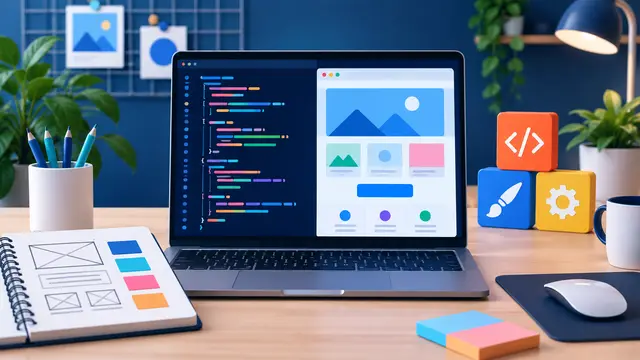
HTML gives the page meaning. CSS makes it readable, organized, and visually clear. JavaScript lets the page respond when someone clicks, types, opens a menu, checks a box, or changes a value. When a beginner sees those three pieces working together, coding stops feeling like a wall of symbols and starts feeling like a set of tools.
A good beginner project might be a one-page personal profile, a service menu, a small course landing page, a simple checklist, or a practice dashboard for tracking tasks. The content does not have to be fancy. The point is to learn how a web page is assembled from small decisions.
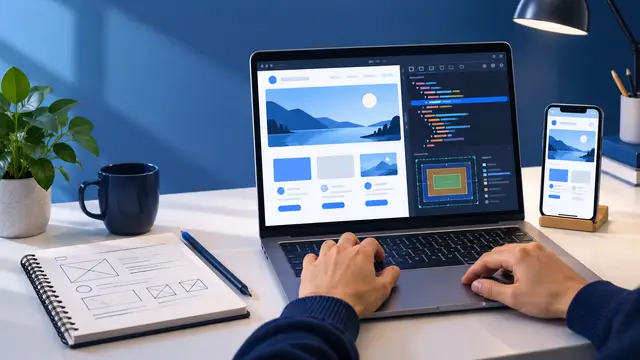
For example, a learner might build a page with a heading, a short introduction, three cards, a button, and a hidden note that appears when the button is clicked. That project sounds small, but it introduces several important skills:
- How to organize page content with headings, paragraphs, lists, buttons, and sections.
- How to use CSS to control spacing, colors, alignment, borders, and responsive layout.
- How to use JavaScript to listen for a user action and change something on the page.
- How to test changes by saving a file, refreshing the browser, and checking what happened.
- How to notice and fix small mistakes without giving up.
This is why HTML, CSS, and JavaScript remain useful in the AI era. Even when AI tools can help write code, the learner still needs to understand what the code is doing, where it belongs, and how to adjust it when the first answer is not quite right. A plain-language, self-paced course can make that first step less intimidating by focusing on useful practice instead of jargon.
The most valuable part of a first web page is not the page itself. It is the confidence that comes from changing something and seeing the browser respond. That feedback loop is what turns coding from an abstract subject into a practical skill.
Why It Matters for Businesses
Businesses often talk about needing more digital skills, but that does not always mean every employee needs to become a full-time software engineer. In many workplaces, the immediate need is simpler: people need enough technical confidence to understand websites, forms, content updates, automation tools, AI outputs, and the basic logic behind the systems they use every day.
A beginner who learns HTML, CSS, and JavaScript gains a more practical view of digital work. They can look at a web page and understand that it is not magic. They can see that content, design, and behavior are separate layers. That makes it easier to communicate with developers, use website builders intelligently, review AI-generated code, and make better decisions about small digital projects.
For a small business owner, this skill can reduce confusion. If a landing page looks messy on a phone, they may not know the exact fix yet, but they can understand that layout and responsive CSS are involved. If a contact form is not showing a confirmation message, they can recognize that the problem may involve JavaScript behavior, not just the text on the page. That basic vocabulary makes conversations faster and less frustrating.
For a team member in marketing, operations, training, or customer support, beginner web skills can make everyday work more precise. They can better understand how pages are structured, why consistent headings matter, why buttons need clear labels, and how small interface choices affect customers. They are also better prepared to use AI as a coding assistant because they can ask clearer questions and spot obvious mistakes.
Here are a few practical business situations where first-level web coding knowledge helps:
- A marketing assistant wants to understand why a page preview looks different on desktop and mobile.
- A business owner wants to edit a simple website section without breaking the page layout.
- A support lead wants to mock up a better help page before sending the idea to a developer.
- A career switcher wants a portfolio project that shows initiative without requiring advanced tooling.
- A manager wants to evaluate an AI-generated code suggestion before sending it to the website team.
These are not advanced engineering tasks. They are the kinds of small, useful moments where a little technical knowledge saves time and reduces dependency. A beginner course that teaches through a first web page gives people enough context to participate more confidently.
That confidence matters because AI tools can make code more accessible, but they can also create false confidence. A prompt might produce a beautiful-looking answer that does not fit the existing page, uses unfamiliar patterns, or breaks when copied into the wrong file. When learners understand the basics, they are less likely to paste blindly and more likely to ask, “Where does this belong?” or “What part of this controls the button?”
Learning HTML, CSS, and JavaScript also helps people think more clearly about digital projects. They begin to see that a web page is made from choices: what content comes first, how visual hierarchy guides attention, how spacing improves readability, and how interaction should support a real user goal. Those choices apply far beyond one practice page.
For businesses, the value is not just technical output. It is better communication, better judgment, and faster small improvements. A team member who can build a simple page can also explain a page problem more clearly, review a course exercise with more confidence, and understand why a “quick website change” may involve more than changing one sentence.
This is exactly the kind of practical learning LJ Web Management’s course model is built to support: short, plain-language lessons, clear outcomes, beginner-friendly progression, and skills people can use this week. The goal is not to bury learners in theory. The goal is to help them build something concrete and understand what they built.
The Practical Automation Opportunity
A first web page also prepares learners for automation work because it teaches cause and effect. JavaScript is often the first place a beginner sees this clearly: when the user clicks a button, the page changes. When a box is checked, a message appears. When a form field is empty, a warning can show. That same logic sits underneath many automation tools, even when the tool does not require traditional coding.
No-code platforms like Zapier and Make use a similar idea in a different form: when this happens, do that next. A beginner who has practiced simple JavaScript interactions is often better prepared to understand triggers, conditions, actions, and testing. They may not write the automation in code, but they understand the flow.
That connection is powerful for learners who want practical skills rather than disconnected lessons. A first web page can become a bridge into several learning paths:
- Web coding basics: building page structure, layout, and interactive elements.
- Prompt engineering: asking AI to explain code, suggest improvements, or debug errors.
- No-code automation: connecting a form submission to a spreadsheet, email, or task list.
- Frontend development: learning components, state, and reusable interface patterns later.
- Portfolio building: turning small projects into visible proof of progress.
A useful beginner exercise might start with a simple “course interest” page. The learner creates a few course cards, styles them with CSS, and adds a JavaScript button that reveals a short recommendation note based on the course selected. That exercise can stay fully local on the learner’s computer, but it still teaches practical thinking.
The next version could connect the idea to automation without making the learner jump too far. They might sketch what should happen after someone fills out a course interest form:
- A visitor chooses a topic, such as AI basics, web coding, cybersecurity, or automation.
- The form captures the choice and contact details.
- An automation adds the response to a spreadsheet or customer list.
- A follow-up email shares the next recommended learning step.
- A task is created if the learner requests help choosing a course path.
Even if the beginner does not build that full workflow on day one, the concept becomes understandable. The page is the front door. The automation is what happens after someone takes action. The skill is learning how those pieces relate.
This is where AI can help without replacing learning. A beginner can ask an AI tool to explain a CSS rule, compare two JavaScript snippets, or suggest why a button is not working. But the learner still benefits from knowing enough to test the answer. They can look for the selector, find the script file, check the browser console, or simplify the problem.
A self-paced course can make that process feel manageable by giving learners a sequence that builds confidence:
- Start with a finished example so the learner sees the destination.
- Change one piece of HTML and notice what changes in the browser.
- Adjust CSS spacing, color, and layout one step at a time.
- Add one JavaScript interaction, such as showing a message or toggling a class.
- Break something small on purpose, then fix it using a simple debugging checklist.
- Ask AI for an explanation, then compare the answer to what the page actually does.
That last step is important. The AI era does not remove the need to learn fundamentals. It raises the value of practical fundamentals because learners who understand the basics can use AI more safely and productively. They can ask better questions, reject confusing answers, and adapt examples to their own needs.
For busy professionals, this is also a realistic way to learn. They do not need to disappear for months before using the skill. They can complete one small lesson, change one page, test one interaction, and feel a visible result. That kind of progress is motivating because it is concrete.
The practical automation opportunity is not that every beginner should automate everything right away. It is that web coding teaches the habit of building small systems: input, structure, style, action, feedback, and improvement. Once a learner understands that pattern, automation tools feel less mysterious.
Business Takeaway
The best first coding project is one small enough to finish and useful enough to explain. A first web page with HTML, CSS, and JavaScript works because it teaches the three core layers of the web in a way learners can see, test, and improve.
For individuals, it builds confidence. For small business owners, it makes website decisions less confusing. For teams, it creates better communication around digital work. For anyone using AI, it provides enough foundation to treat AI-generated code as something to review and understand, not something to trust blindly.
A beginner does not need to start with advanced frameworks, complex setup, or a long list of tools. They can start with one page, one stylesheet, one small script, and one practical outcome. That is enough to learn how web pages are built and how to keep learning from there.
A good course path should respect that pace. It should explain the purpose of each file, show the learner what changed, and give them practice that feels connected to real work. The learner should finish with a small page they can describe in plain language: “This is the content, this is how I styled it, and this is what happens when the user clicks.”
That sentence is simple, but it represents a meaningful shift. The learner has moved from wondering whether coding is too complicated to understanding how a basic digital experience comes together.
This week, choose one small page idea, such as a personal profile, service menu, course interest page, or project checklist, and build the first version with a heading, three content blocks, simple styling, and one button that changes something on the screen.