What Happened
A lot of beginners want to learn automation, but they get stuck before they build their first workflow because the tools look more complicated than the problem they are trying to solve. The real learning goal is simpler: understand how one trigger can start a useful action in another app, then practice with a small task you already recognize. After reading this guide, you will know how to think through a first no-code automation workflow without needing to write code or memorize technical jargon.
No-code automation is one of the most practical skills a busy professional can learn because it turns repeated digital chores into clear, repeatable systems. A form submission can become a task. A customer email can become a follow-up reminder. A spreadsheet row can become a message to the right person. None of those examples require a developer mindset at the beginning. They require careful thinking about the work, the apps involved, and what should happen next.
That is why a short, self-paced course can be a better starting point than wandering through tool menus alone. Beginners do not need every feature in Zapier, Make, or another automation platform on day one. They need a plain-language path that shows them how to choose one workflow, map the steps, test the result, and fix the obvious beginner mistakes.
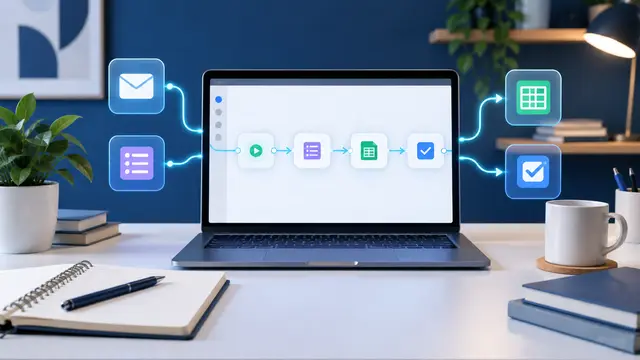
A first workflow should be intentionally small. If the first project tries to connect five apps, summarize messages with AI, update a CRM, notify a manager, and create a report, the learner has too many moving parts to understand what broke. A better first project might be: when someone fills out a contact form, add the details to a spreadsheet and create one follow-up task. That is useful enough to feel real, but simple enough to inspect.
The strongest beginner automation lessons usually focus on three questions:
- What event starts the workflow?
- What information needs to move?
- What useful result should happen automatically?
Those questions sound basic, but they are the foundation of every practical automation skill. A trigger is the event that starts the workflow. An action is what the automation does after the trigger. The data fields are the pieces of information that travel between steps, such as name, email, date, order number, message, status, or priority.
Once a learner understands those parts, the tool becomes less intimidating. Instead of seeing a blank automation canvas, they see a sentence: when this happens, do that with this information. That sentence is the beginner-friendly version of workflow design.
For example, imagine a small business owner who keeps missing website inquiries because they arrive in an inbox during busy hours. The goal is not to become an automation engineer overnight. The goal is to build one reliable workflow that captures each inquiry and makes the next step visible. A learner could practice connecting a form tool to a spreadsheet, then adding a task in a project board, then sending a notification to themselves.
That kind of practice builds confidence because the result is concrete. The learner can fill out the form, watch the spreadsheet update, and confirm the task appears. If something goes wrong, they can trace the workflow step by step. That is how beginners move from guessing to understanding.
The point is not to automate everything. The point is to learn how automation thinking works. Once that skill clicks, the learner can apply it to customer service, sales follow-up, scheduling, reporting, onboarding, content planning, invoice reminders, course practice projects, and dozens of ordinary work routines.
Why It Matters for Businesses
Businesses do not only need people who know how to use apps. They need people who can notice repeated work, describe it clearly, and improve it without creating chaos. That is where no-code automation skills become valuable for office managers, solo founders, administrative assistants, marketing coordinators, sales reps, customer support leads, and operations-minded employees.
The modern workplace is full of small delays that do not look dramatic by themselves. Someone copies a name from a form into a spreadsheet. Someone checks whether a payment reminder was sent. Someone searches an inbox for the latest request. Someone manually creates the same task every Monday. These steps feel normal because they are familiar, but they quietly consume attention.
A beginner who learns no-code automation can start spotting those patterns. They begin to ask better questions:
- Is this task repeated often?
- Does it start the same way each time?
- Does the same information move between the same places?
- Does someone need a reminder, task, record, or message after the event happens?
- Can the workflow be tested safely before anyone depends on it?
Those questions are useful even before a workflow is built. They make work more visible. They help teams understand where delays come from. They also prevent a common mistake: buying more software when the real problem is that existing tools are not connected in a practical way.
For a small business, one simple automation can make a real difference. A missed inquiry can become a logged lead. A form response can become a checklist item. A client request can become a reminder with the right deadline. A recurring internal task can appear automatically so nobody has to remember it from scratch.
For an employee, the value is just as practical. Learning no-code automation gives a person a way to contribute beyond their job title. A receptionist who automates appointment reminders becomes more than someone who answers phones. A marketing assistant who connects campaign signups to a follow-up list becomes more useful to the team. A manager who understands triggers and actions can explain process problems more clearly when asking for help.
This is why beginner-friendly automation training should not begin with complex architecture. It should begin with everyday examples. The learner should be able to say, "I know this task. I understand why it matters. I can see what the first step should be." That is much more effective than asking someone to memorize tool terminology before they see a practical result.
No-code automation also helps teams avoid the trap of all-or-nothing improvement. A workflow does not have to be perfect to be useful. A beginner can start with a draft automation, test it with sample data, and refine it over time. That habit is important because real business processes are rarely as clean as tutorials. Names are misspelled. Forms are incomplete. People change their minds. Deadlines shift. A good learner needs practice noticing those details.
The business benefit is not only time saved. It is also consistency. When a workflow is designed thoughtfully, the same kind of request gets the same first response. The same record gets created in the same place. The same reminder appears when the same event happens. That consistency reduces mental load for teams that are already stretched.
No-code automation is also a bridge skill. It sits between basic computer confidence and more advanced technical work. A learner who understands no-code workflows will have an easier time learning APIs later, because they already understand that systems exchange information. They will have an easier time learning AI automation, because they already understand where instructions, inputs, and outputs belong. They will have an easier time learning coding basics, because they already understand sequence, conditions, testing, and debugging at a practical level.
That makes no-code automation a smart early course choice for people who want useful tech skills without feeling buried. It is hands-on, visible, and immediately connected to real work.
The Practical Automation Opportunity
The best first no-code automation workflow is not the flashiest one. It is the one that teaches the core pattern clearly. A beginner should be able to build it, test it, explain it, and improve it without feeling lost.
A good first project usually has four parts:
- A trigger that is easy to reproduce.
- One or two actions that create a visible result.
- A small set of fields that the learner can recognize.
- A test routine that proves the workflow worked.
A contact form follow-up workflow is a strong example. The trigger is a new form submission. The first action adds the submission to a spreadsheet or simple database. The second action creates a task called "Follow up with new inquiry." The learner can test the whole workflow by submitting the form with sample information. If the row appears and the task is created, the automation worked.
That project teaches several important skills without overwhelming the learner. It teaches how to choose a trigger. It teaches field mapping, such as connecting the form email field to the spreadsheet email column. It teaches testing. It teaches the learner to look for errors before trusting the workflow. It also shows why clear input matters. If the form does not ask for a phone number, the automation cannot magically send a phone number to the task.
Another good beginner project is a meeting note follow-up workflow. The learner can create a simple form with fields for meeting topic, next step, owner, and due date. When the form is submitted, the automation adds a row to a tracker and sends a reminder message. This is useful for team coordination, but still small enough to understand.
A third project is a weekly reporting reminder. The trigger might be every Friday morning. The action might create a task that reminds the learner to update three numbers in a report. This project teaches scheduled triggers, which are different from event-based triggers. It also shows that automation is not only about moving data. Sometimes the best automation is simply making the right work appear at the right time.
In a beginner course, the practice path should move from simple to slightly more realistic:
- Build a one-trigger, one-action workflow.
- Add a second action so the result appears in two places.
- Map fields carefully and check for missing information.
- Test with sample data before using real work.
- Add a filter only after the basic workflow works.
- Document what the workflow does in one plain-language sentence.
That final step matters more than beginners expect. If a learner cannot explain the workflow in one sentence, the workflow may be too vague. A useful sentence might be: "When a new website inquiry arrives, add it to the lead tracker and create a follow-up task for the same day." That sentence becomes a simple design document. It keeps the learner focused.
Filters are another concept beginners should learn slowly. A filter tells the workflow to continue only when certain conditions are true. For example, a form submission might create an urgent task only if the person selected "current customer" or chose a deadline within seven days. Filters are powerful, but they can confuse new learners if introduced too early. The safe order is build the basic workflow first, then add conditions after the learner trusts the core steps.
AI can be introduced later as an enhancement, not as the starting point. Once the learner understands trigger, action, field mapping, and testing, they can add an AI step that summarizes a long message or drafts a follow-up note. That order matters. AI is easier to use responsibly when the workflow around it is clear. Otherwise, the learner may not know whether a problem came from the automation setup, the prompt, the source data, or the AI output.
A practical no-code automation course should also teach what not to automate. Beginners need permission to leave some tasks manual. A task may not be ready for automation if it changes every time, requires careful judgment, involves sensitive information without clear rules, or has unclear ownership. Learning to say "not yet" is part of becoming useful with automation.
Here are beginner mistakes worth watching for:
- Automating a messy process before understanding it.
- Mapping the wrong field because two labels sound similar.
- Testing only once with perfect sample data.
- Forgetting to tell the team where the automated record now lives.
- Adding AI before the basic workflow is reliable.
- Building a workflow nobody will maintain.
The fix is not to avoid automation. The fix is to practice with a simple routine and inspect the result. A learner should run three or four test submissions with slightly different information. Try a missing phone number. Try a long message. Try a different category. See what happens. That kind of practice teaches troubleshooting in a calm way.
This is where self-paced learning helps. A beginner can pause, rebuild a step, check the field mapping, and repeat the test without holding up a classroom or pretending they understood everything the first time. Short lessons and focused practice projects match the way adults actually learn during busy weeks.
No-code automation also pairs naturally with other LJ Web Management learning lanes. Prompt engineering helps learners write clearer AI instructions for workflow steps. Coding basics help them understand logic and conditions. Cybersecurity fundamentals help them think carefully about permissions, sensitive data, and account access. HTML, CSS, and JavaScript help them understand the websites and forms that often start workflows. The skill path does not need to be overwhelming. It can start with one workflow, then grow in useful directions.
Business Takeaway
No-code automation is a practical first tech skill because it gives beginners a visible win: one repeated task starts to happen more consistently with less manual effort. The learner does not need to become a programmer before they can improve a real workflow. They need to understand triggers, actions, field mapping, testing, and the habit of starting small.
For businesses, that kind of learning creates people who can see process problems earlier. They can notice when a form response should become a task, when a spreadsheet update should send a reminder, or when a weekly routine should stop depending on memory. Those improvements may look small, but small reliable workflows can protect follow-up, reduce rework, and help teams move with less friction.
For individual learners, the opportunity is confidence. A first no-code automation project proves that technical skills are not reserved for people who already speak like developers. You can learn one pattern, practice it with a familiar task, and use it this week.
A realistic action for this week is to choose one repeated task you already do, write the workflow sentence in this format, "When this happens, do that," and build a two-step practice automation that you can test with sample data before using it for real work.